How do you keep someone booking when they arrive from a link in bio?
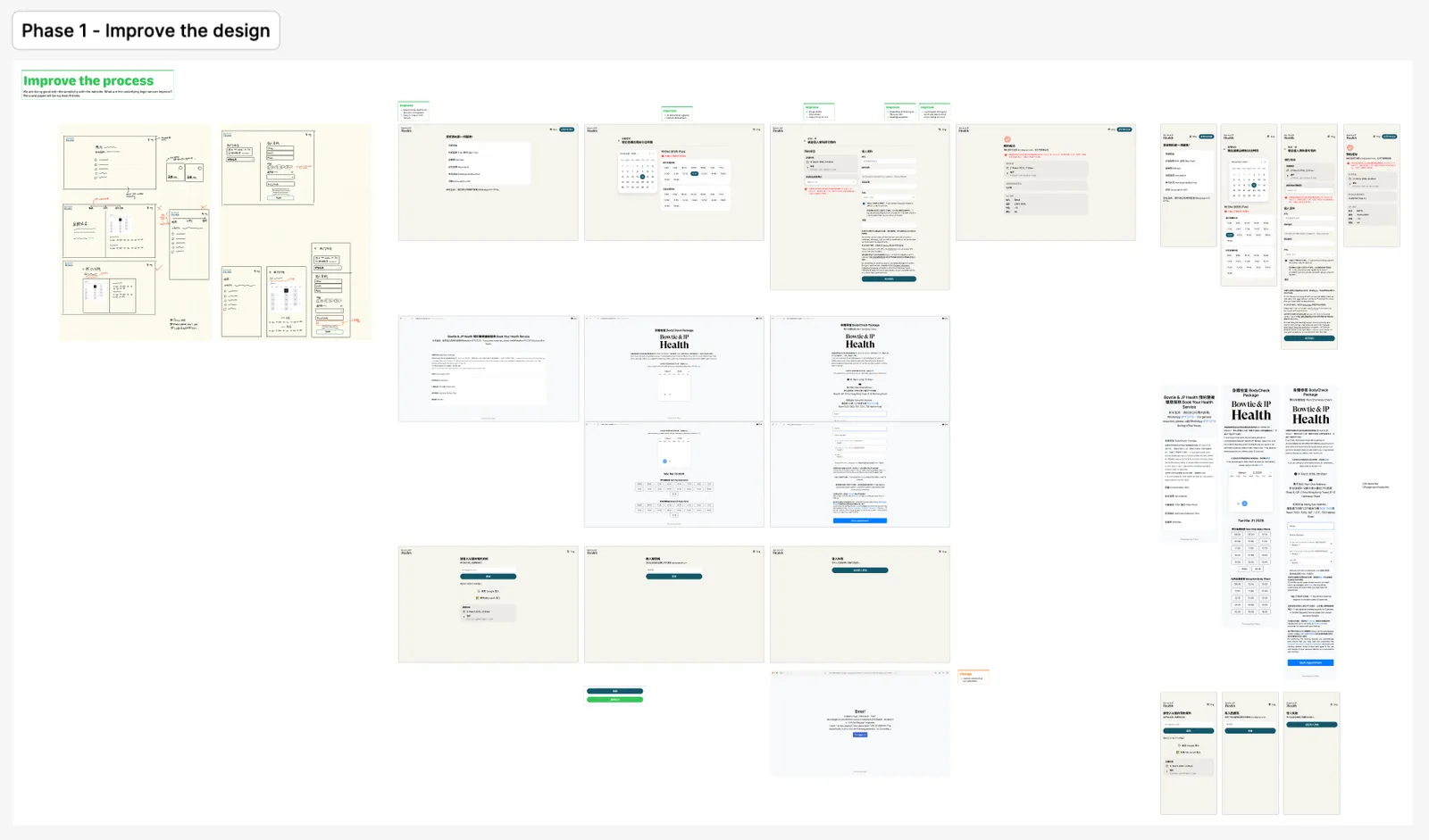
Booking sites are rarely opened in the visitor's default browser. They arrive from a referral link or a link in bio, inside a social app, where traditional logins and saved booking details do not follow them, and that drives people away. This analysis looks for a booking flow that holds their attention without sending them to other screens to prove they are human or to sign in.
Problem
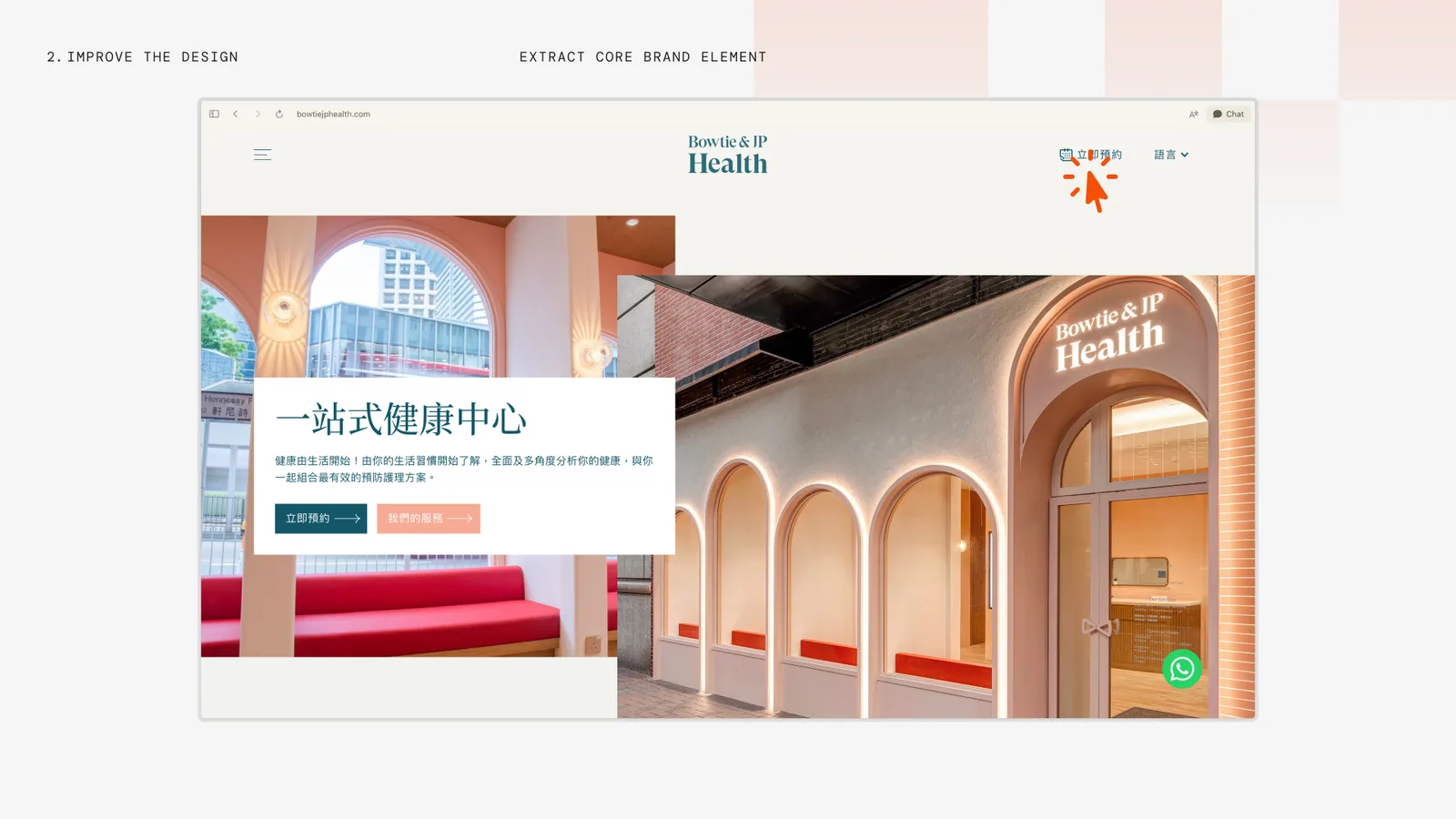
The booking site did not look like Bowtie & JP Health.
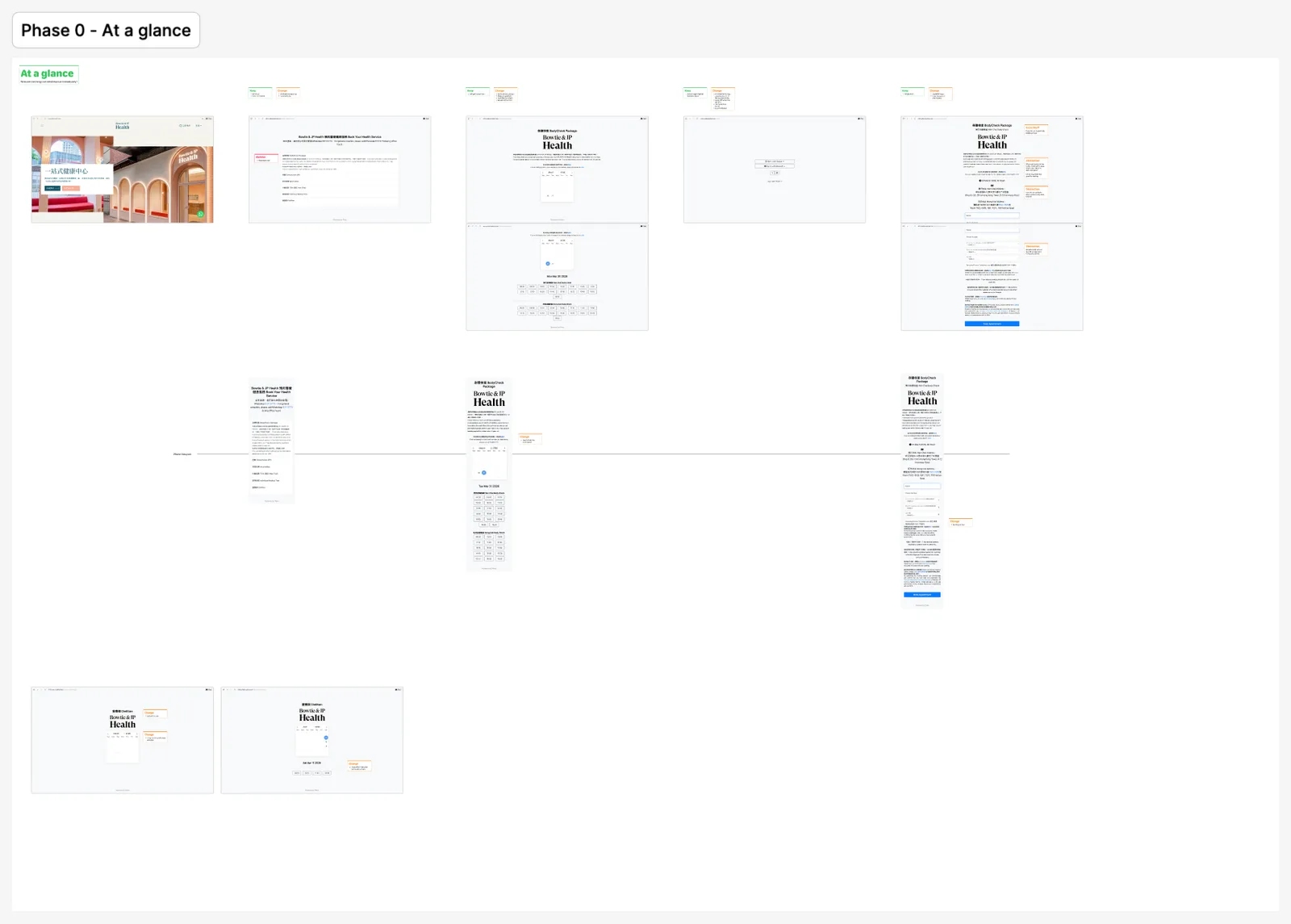
The first thing I noticed was the gap between the booking site and the official site. The booking flow ran on third-party software, so it lost the brand the moment a visitor pressed Book.
So I focused on making the experience feel human and premium again through three things:
Brand
Bring the booking flow back in line with the official site.
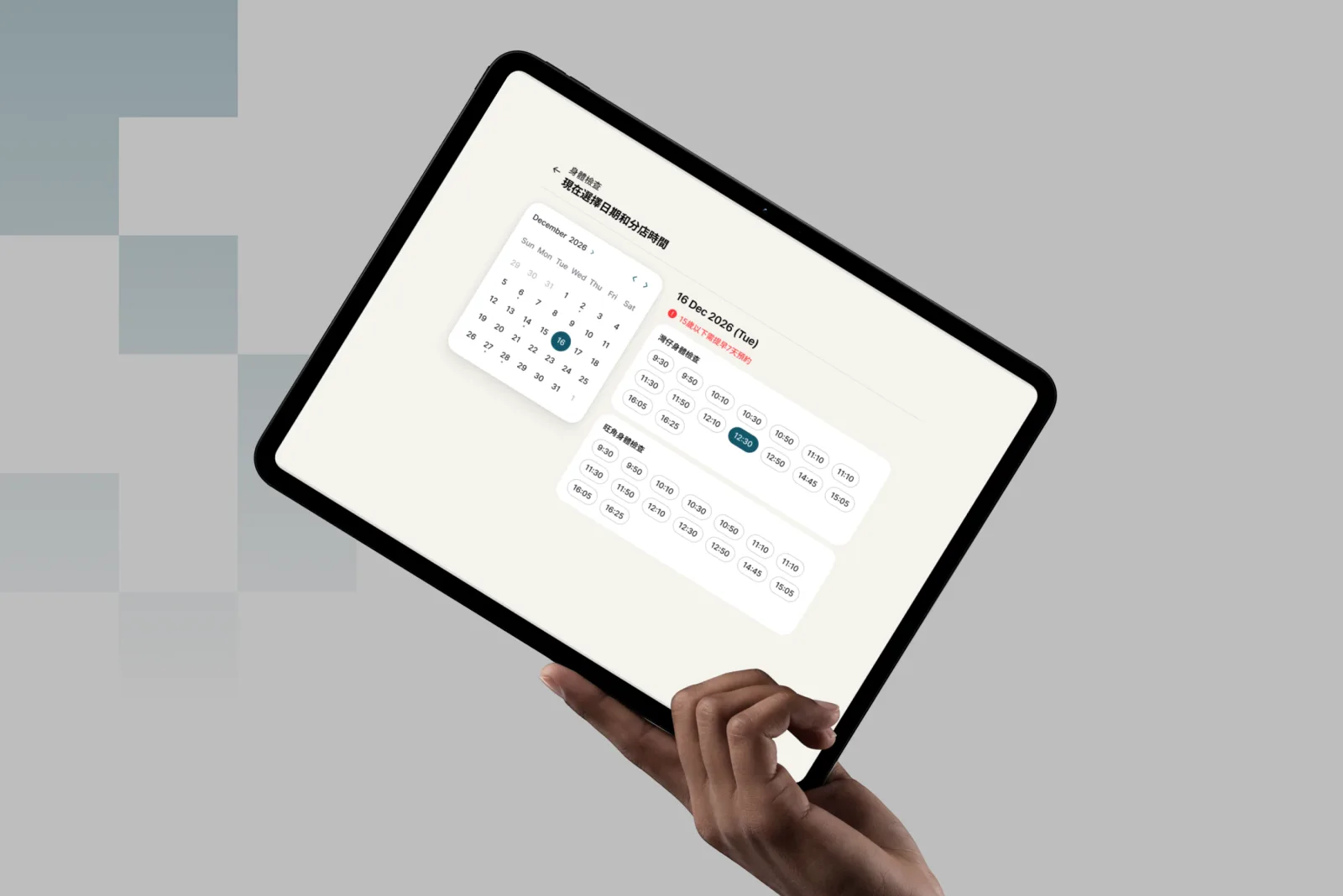
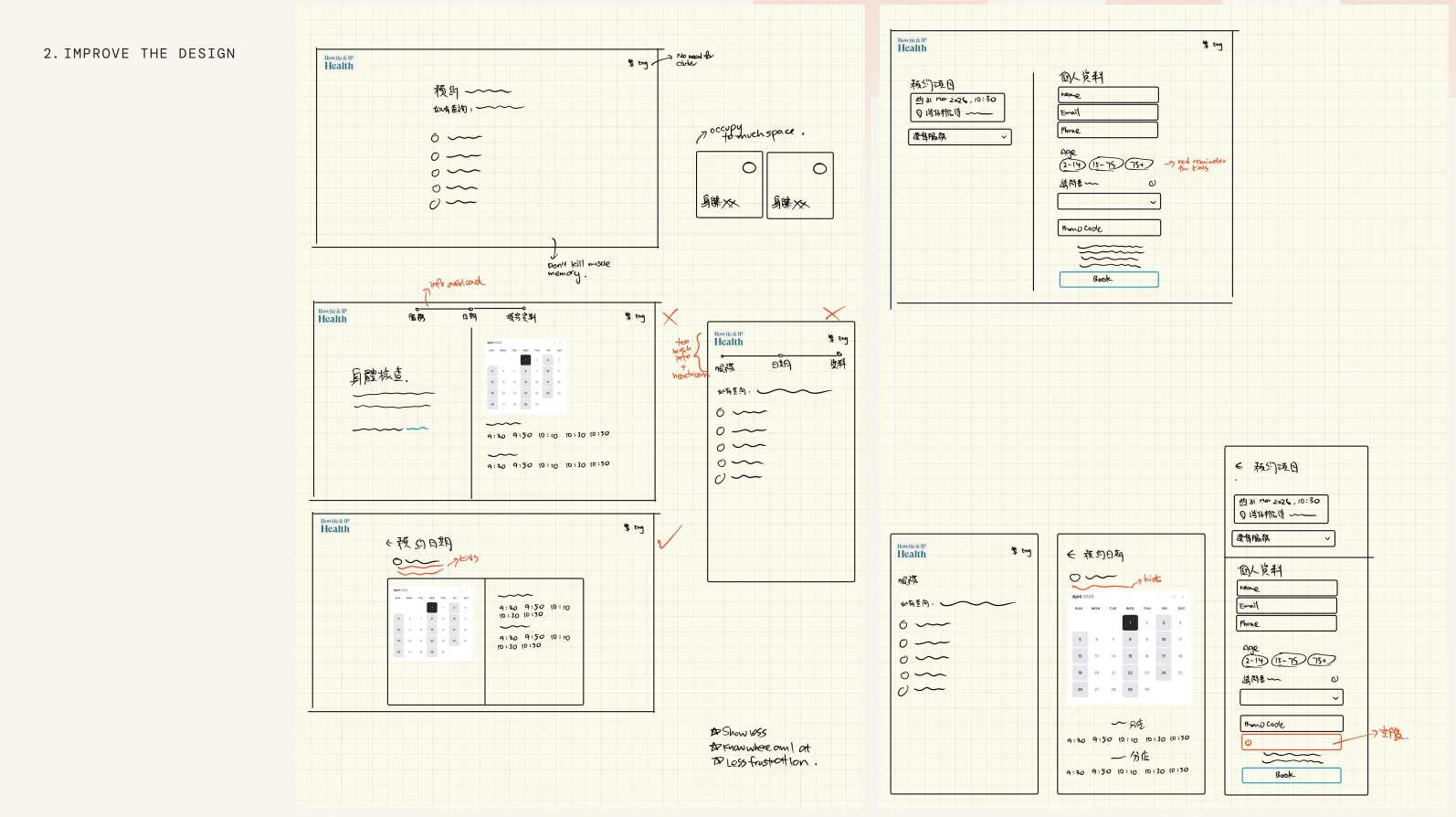
With the problem named, I redesigned the flow: better guidance at each step, and no redundant information.
Phase 3
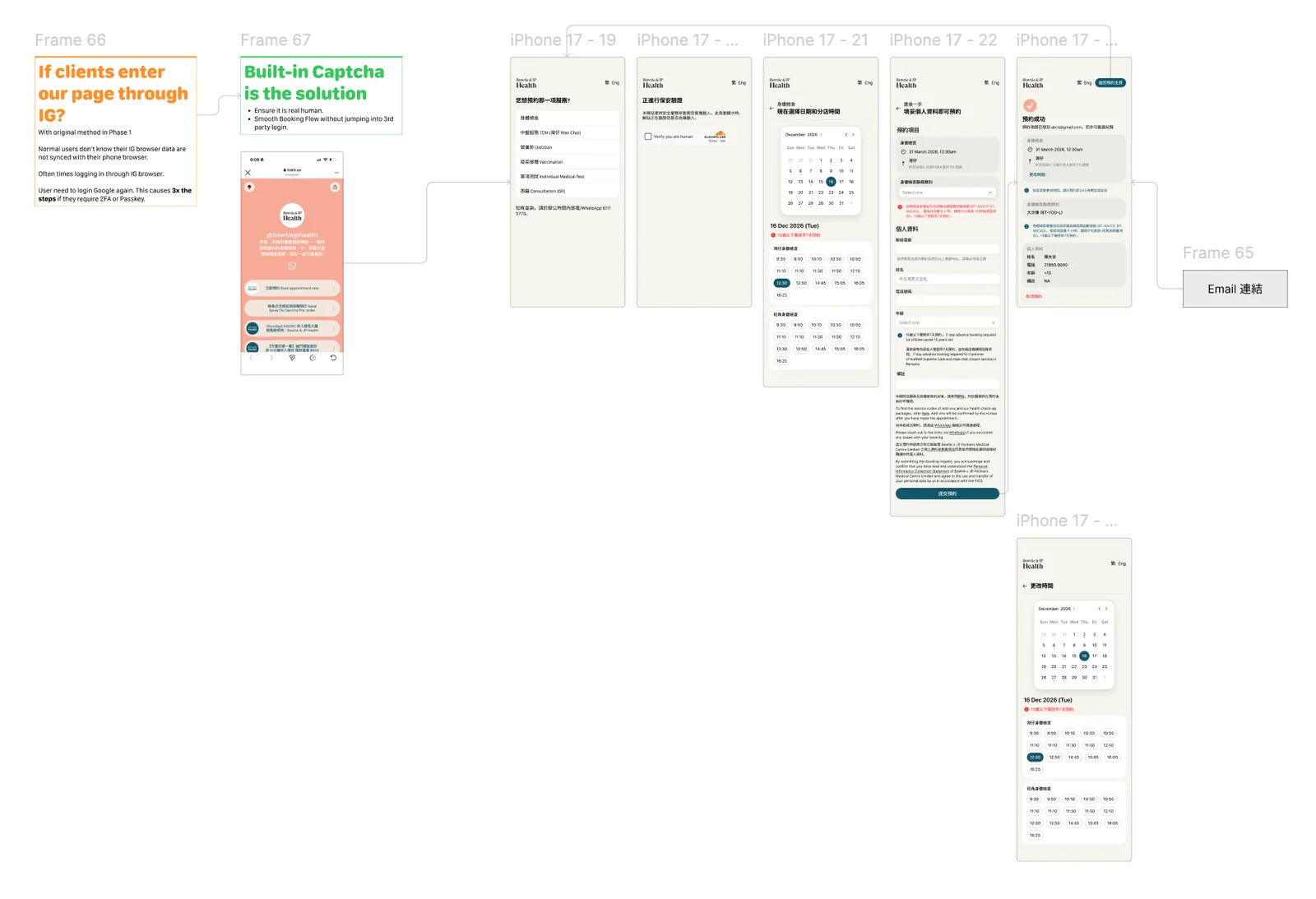
Then the harder question: what if they come from Instagram?
A visitor arriving through social media has to type their details all over again. So I explored keeping verification inside the page, with a built-in CAPTCHA instead of a trip to another screen.
Prototype
The flow on desktop and on a phone.
Desktop, when a login is required:
Booking on desktop
0:00
-0:00
Mobile:
Booking on a phone
0:00
-0:00
Trade-off
We kept the login.
Every step removed makes booking easier, but the clinic still has to know each booking comes from a real person and not spam. So the final flow keeps the login, and puts the effort into making everything around it shorter.
Outcome
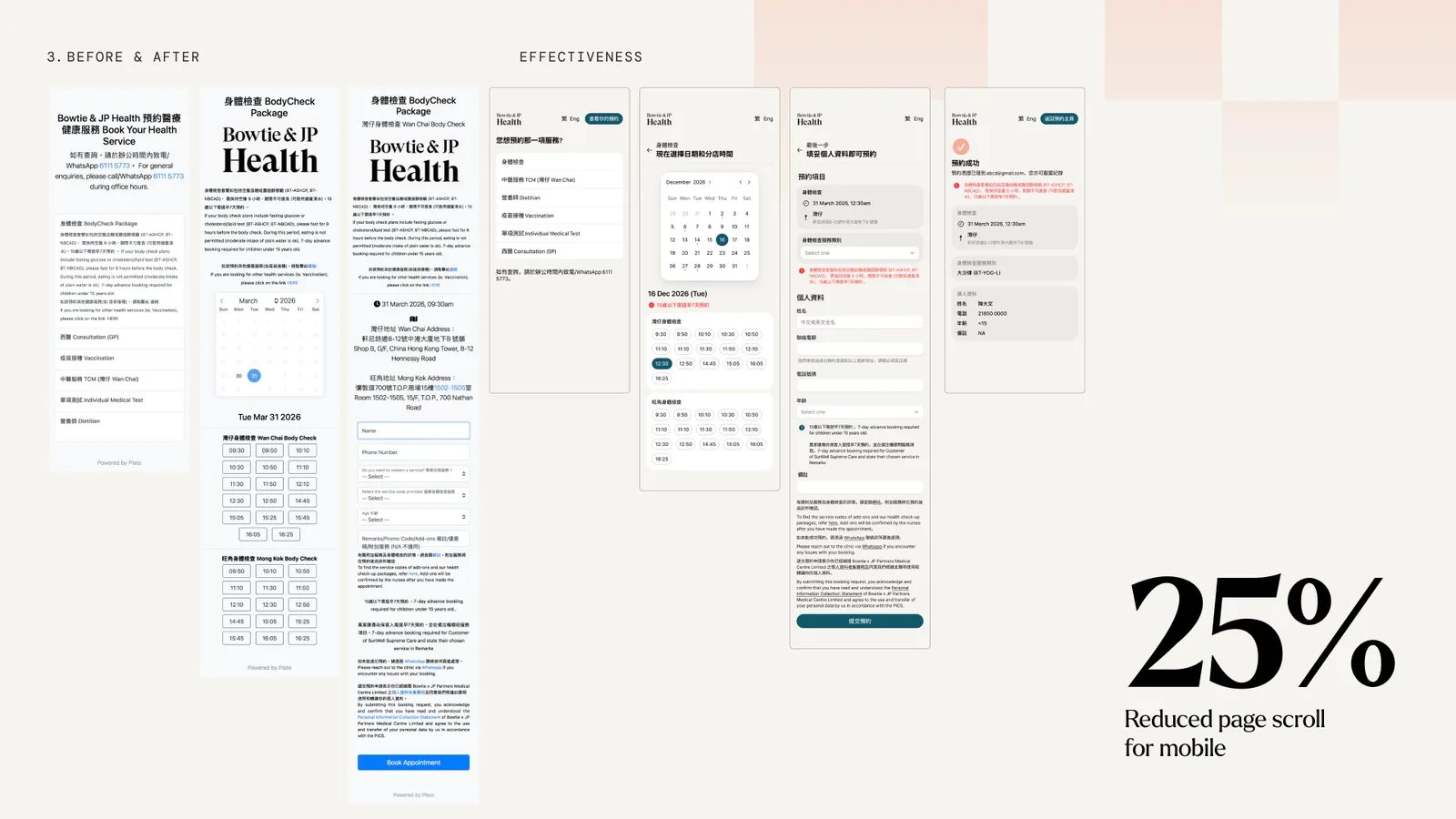
A quarter less scrolling on a phone.
25%
less page scroll on mobile
Next
Kedonia
Sep 2025 – Feb 2026
Timeline
Product, UI/UX, Website
Role
10 people
Team
Overview
How do you make manufacturing feel like creating?
Kedonia makes custom plush toys on one promise: everyone can be an IP creator. In a team of ten, I designed its identity, its product flow and its website.
Problem
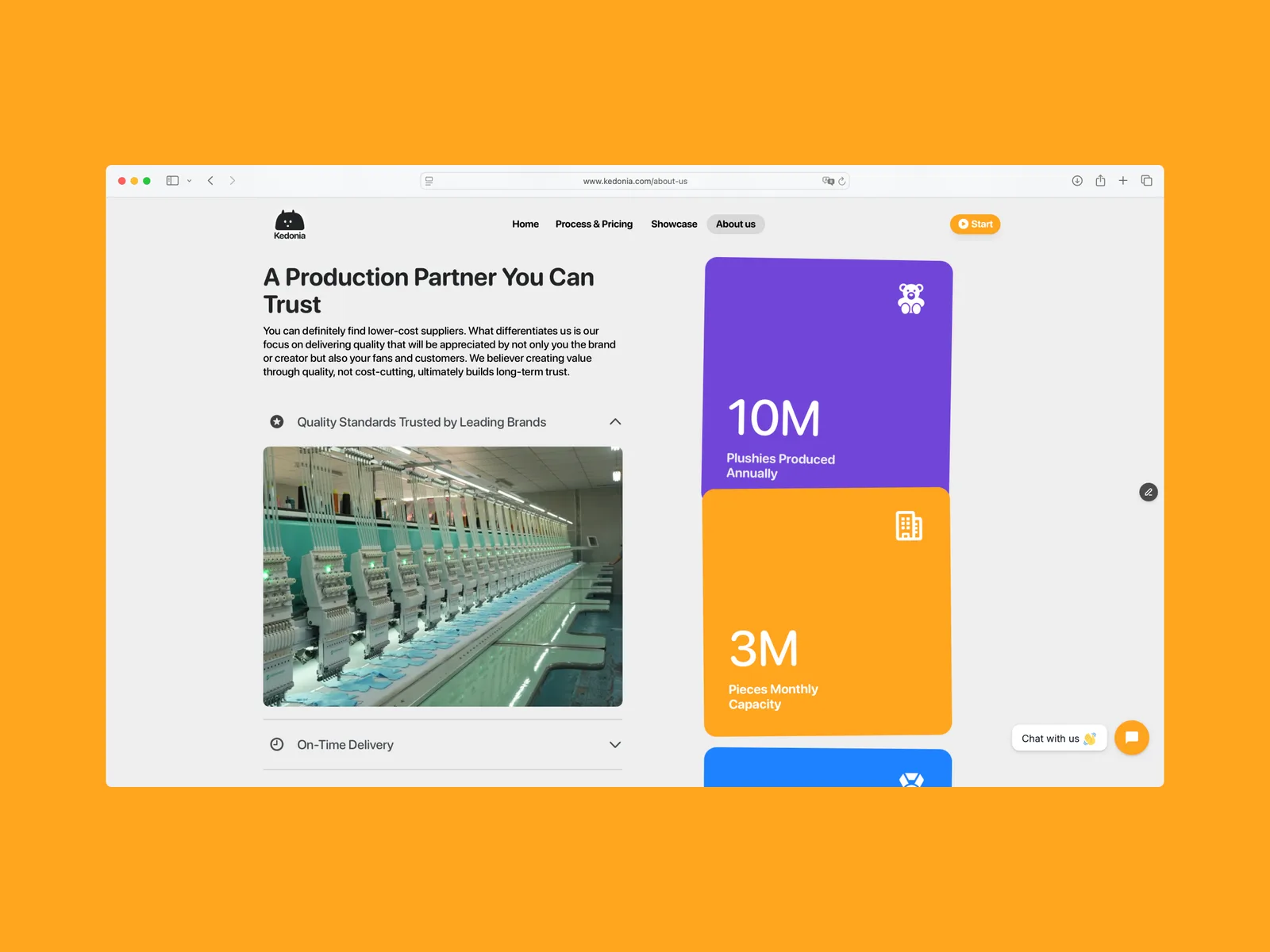
Between an idea and a plush sits a long production cycle.
A plush runs from the first sketch through production to the final delivery, and the person with the idea sees almost none of it. The job was to turn that complex cycle into a creative flow they could follow from start to finish.
Brand
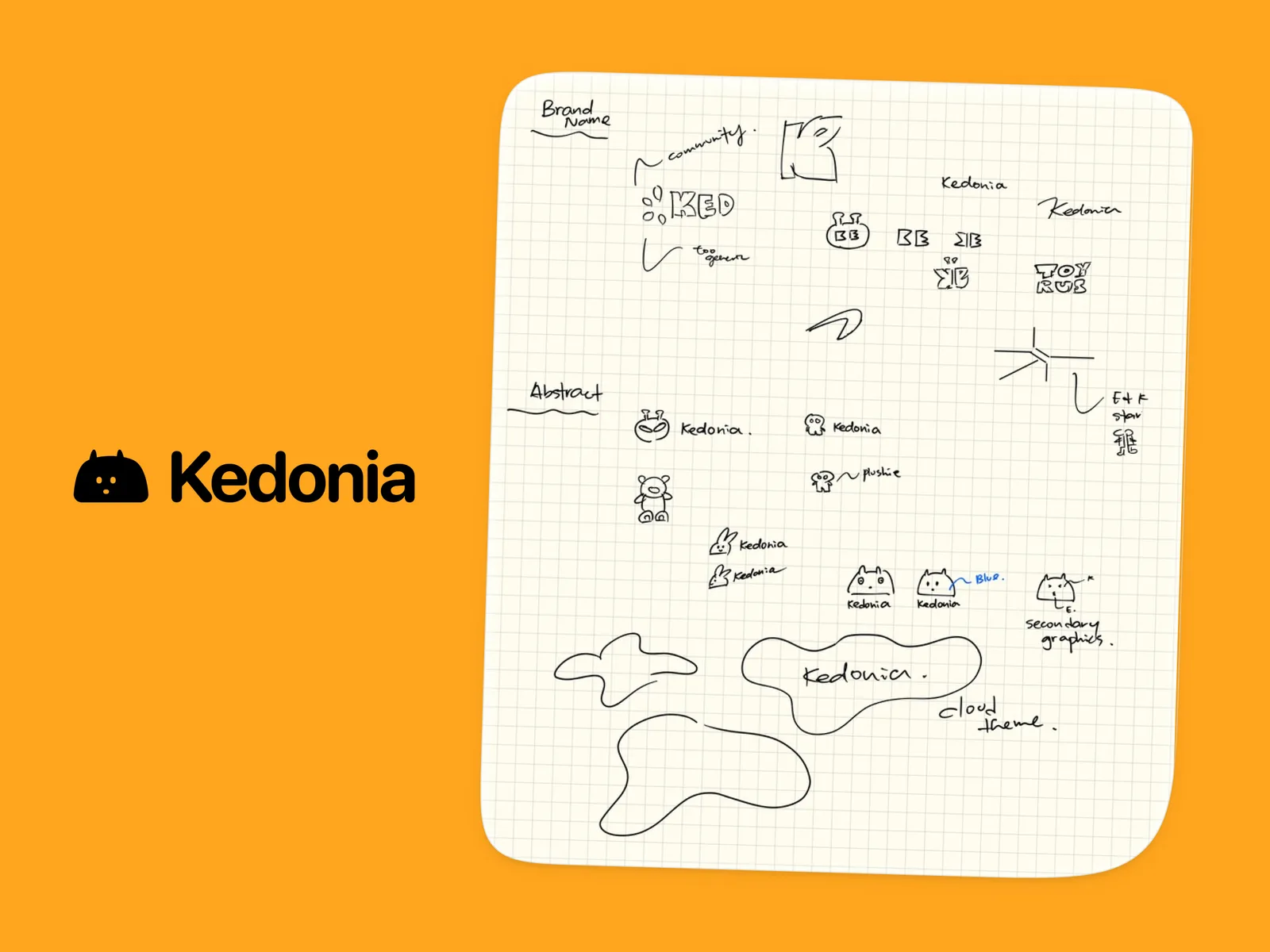
The brand became a mascot, not a wordmark.
My first direction was a professional, bold logo set in text. Then the obvious question: if we are a plush creative and manufacturing company, why not build an IP ourselves? So the brand turned into a search for our mascot.
AI plush generation
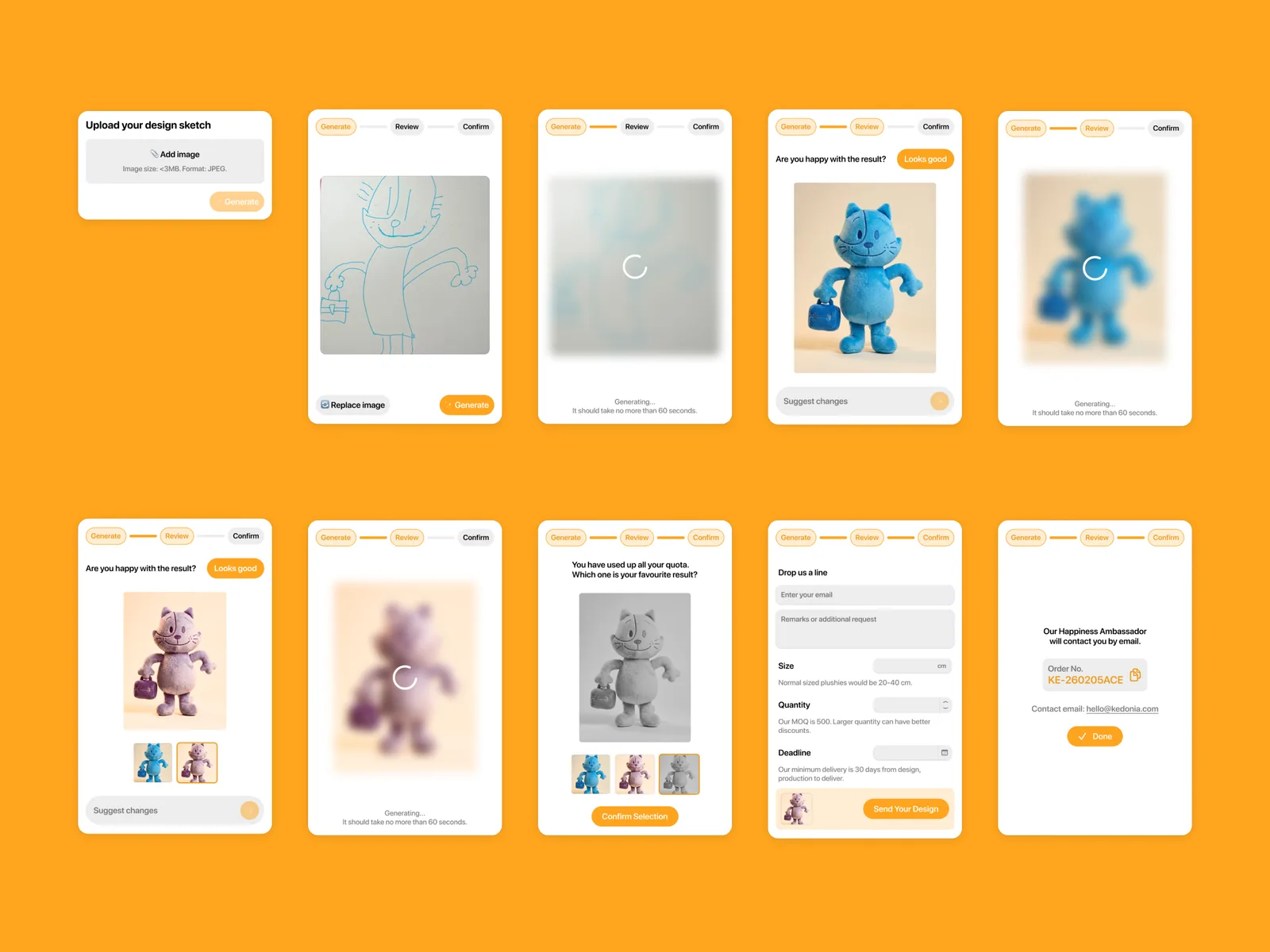
From an idea to an order in under two minutes.
Customers generate a plush with AI, iterate on it and order it in one flow, turning curiosity into conversions.
Generate
Describe the plush and get a design.
Review
Iterate until it looks right.
Confirm
Choose size and quantity, and place the order.
Done
The order is in.
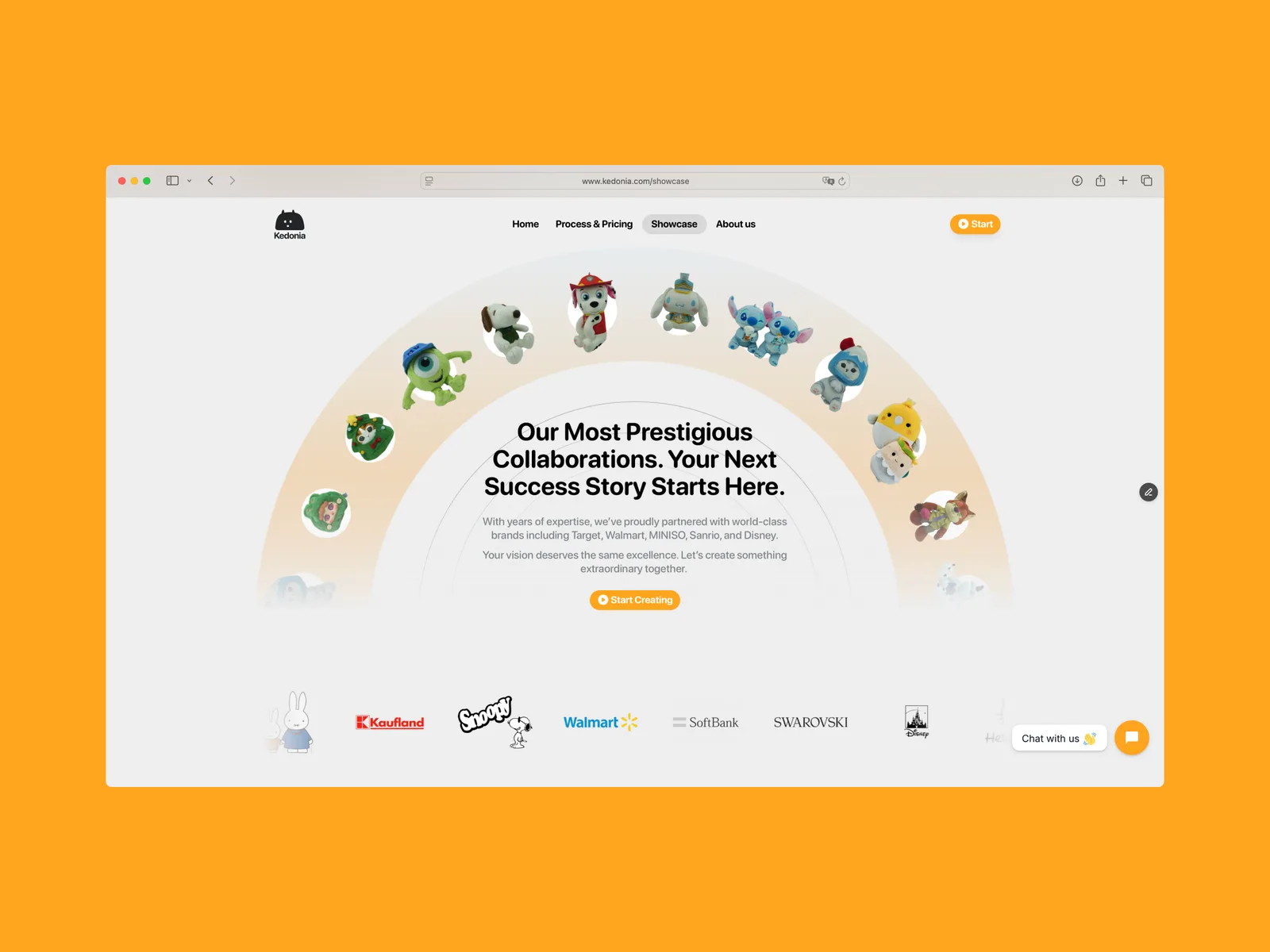
Landing page
Manufacturing sites are boring. This one should not be.
Kedonia sits between a creative studio and a manufacturer, so the site has small, delicate interactions everywhere, even in the FAQ.
Next
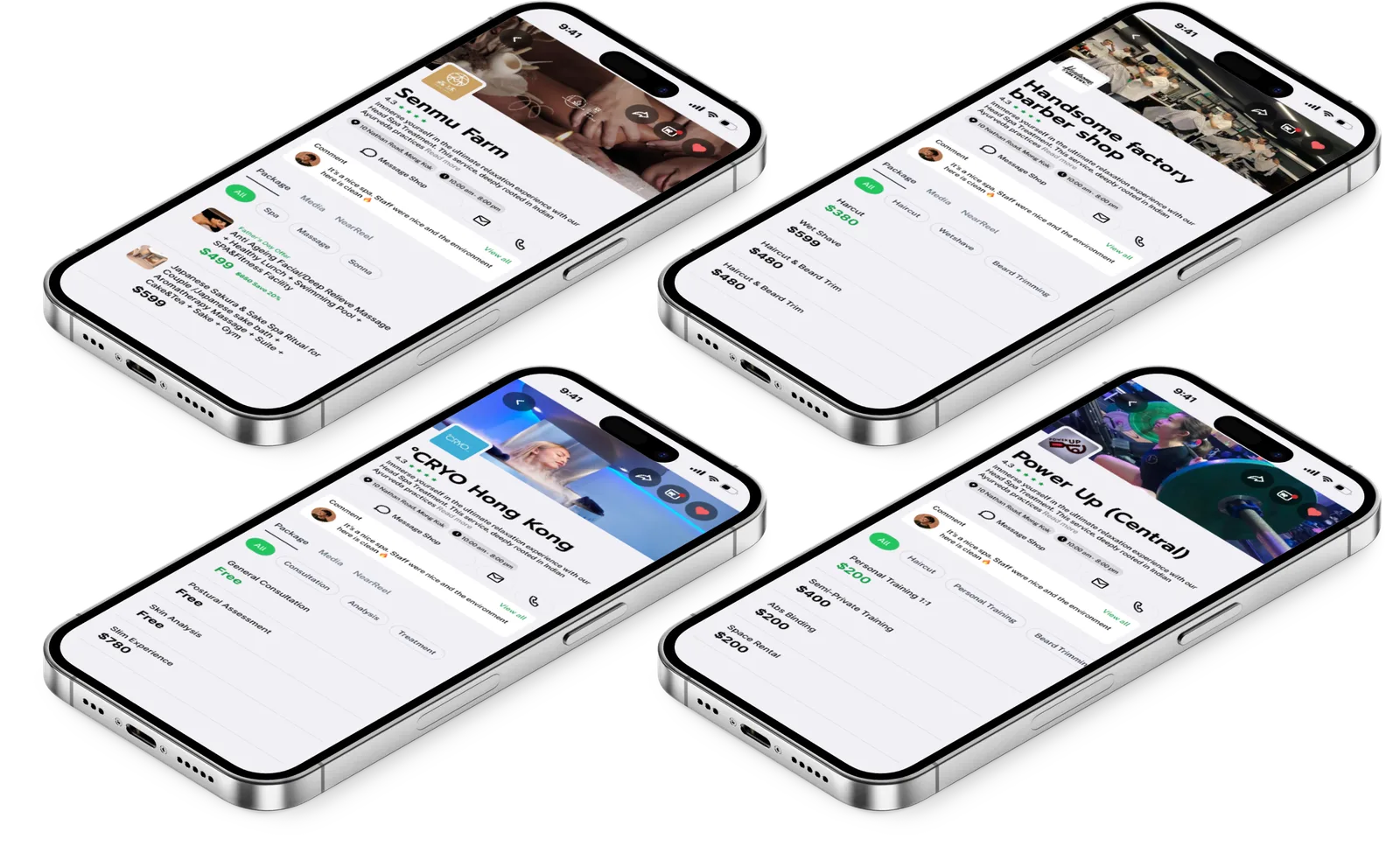
Neardeal
Product, UI/UX, Website
Role
5 people
Team
Overview
What does a premium wellness marketplace need, starting from a name?
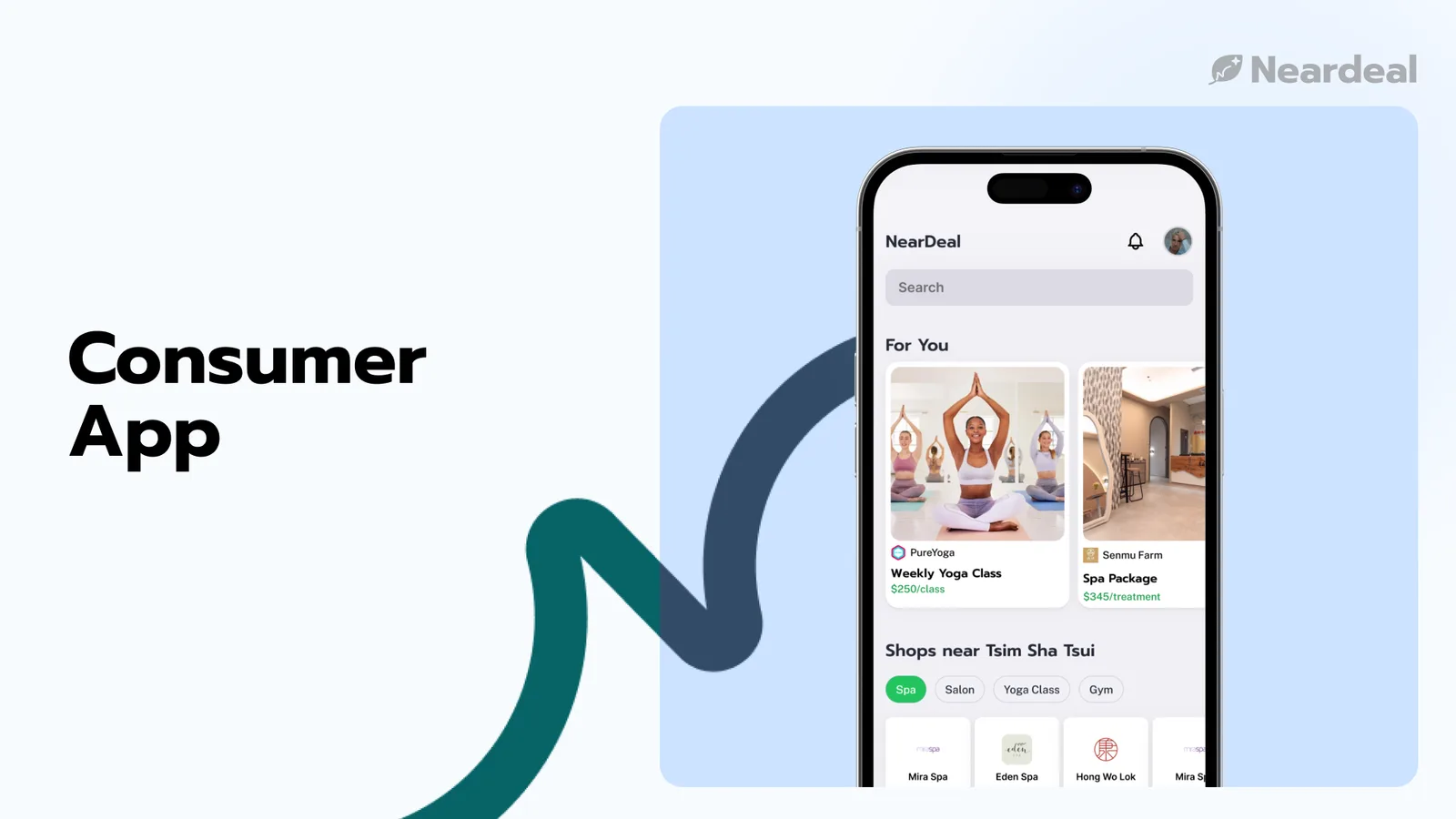
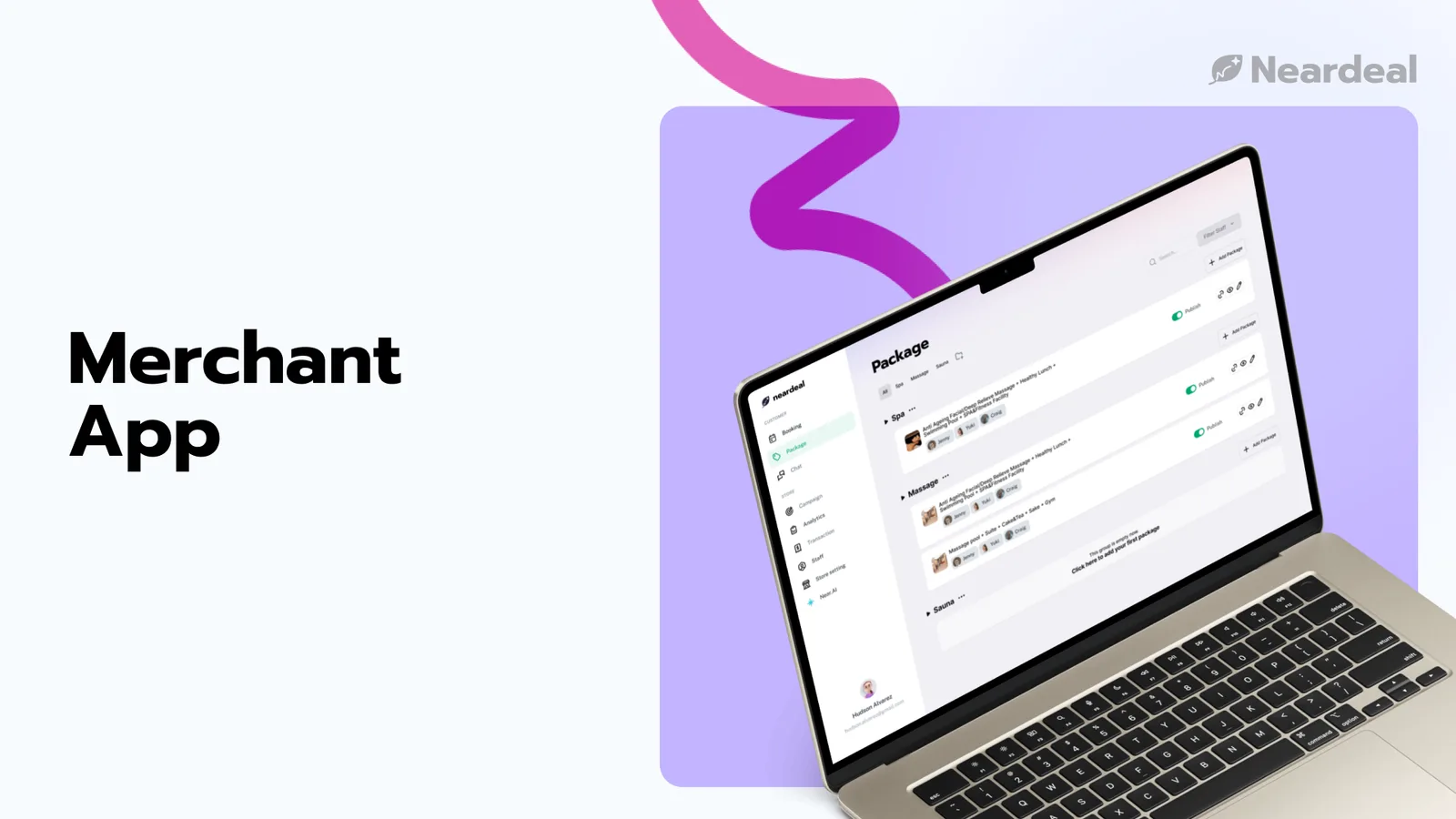
Neardeal came to me with only a brand name and a bold vision: to be the next Klook for the beauty industry. In a team of five, I built the branding, the website and the product UI from scratch.
Problem
Premium wellness had no platform that worked for both sides.
The premium beauty and wellness sector had no digital home that could give customers a high-end experience while solving the merchants' day-to-day operations. That meant two problems at once:
Customers question the value
Premium prices need a premium, frictionless booking to justify them.
Merchants drown in operations
Rigid pricing empties off-peak hours, while schedules, copy and video all compete for time.
Brand
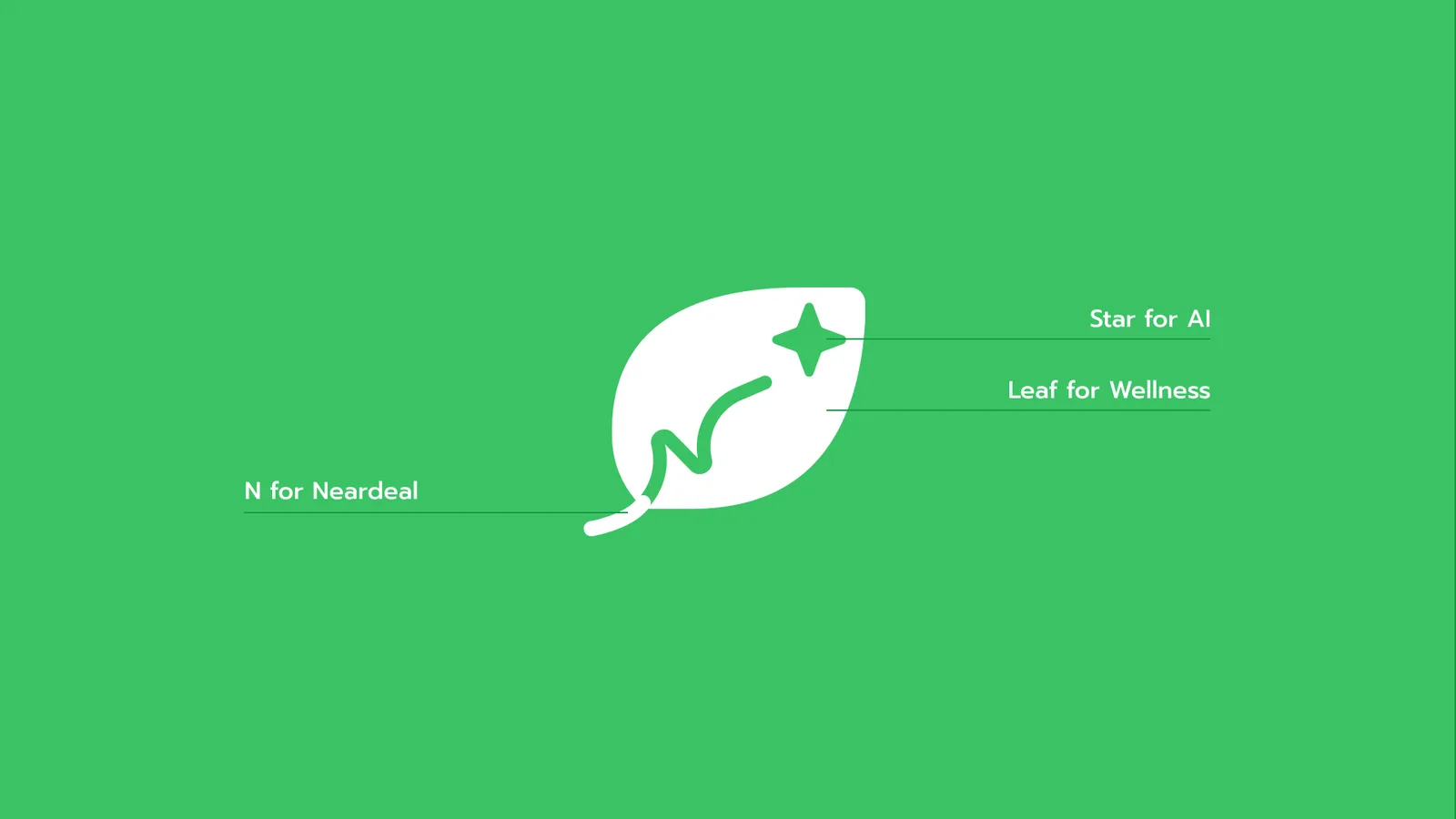
The logo is a journey, drawn as a leaf.
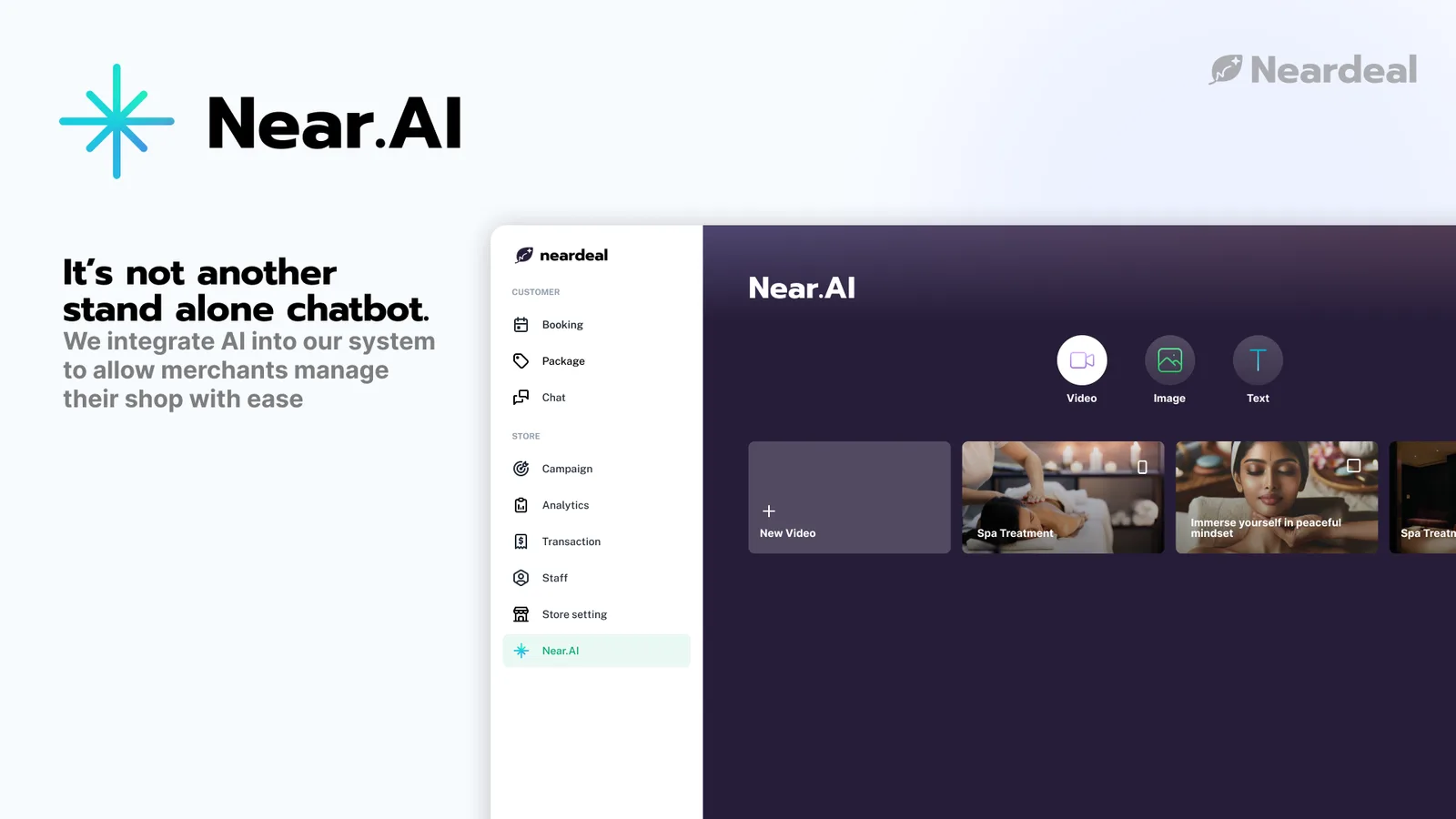
The logo begins with a leaf, for wellness, nature and growth. Woven into it is the initial N, which also traces an upward path: each user's own wellness journey, a personal line of progress. That path points to a small star at the peak, for the guidance of AI at the core of the platform, which takes repetitive work off staff and offers insight.
Solution
One marketplace, designed for both sides.
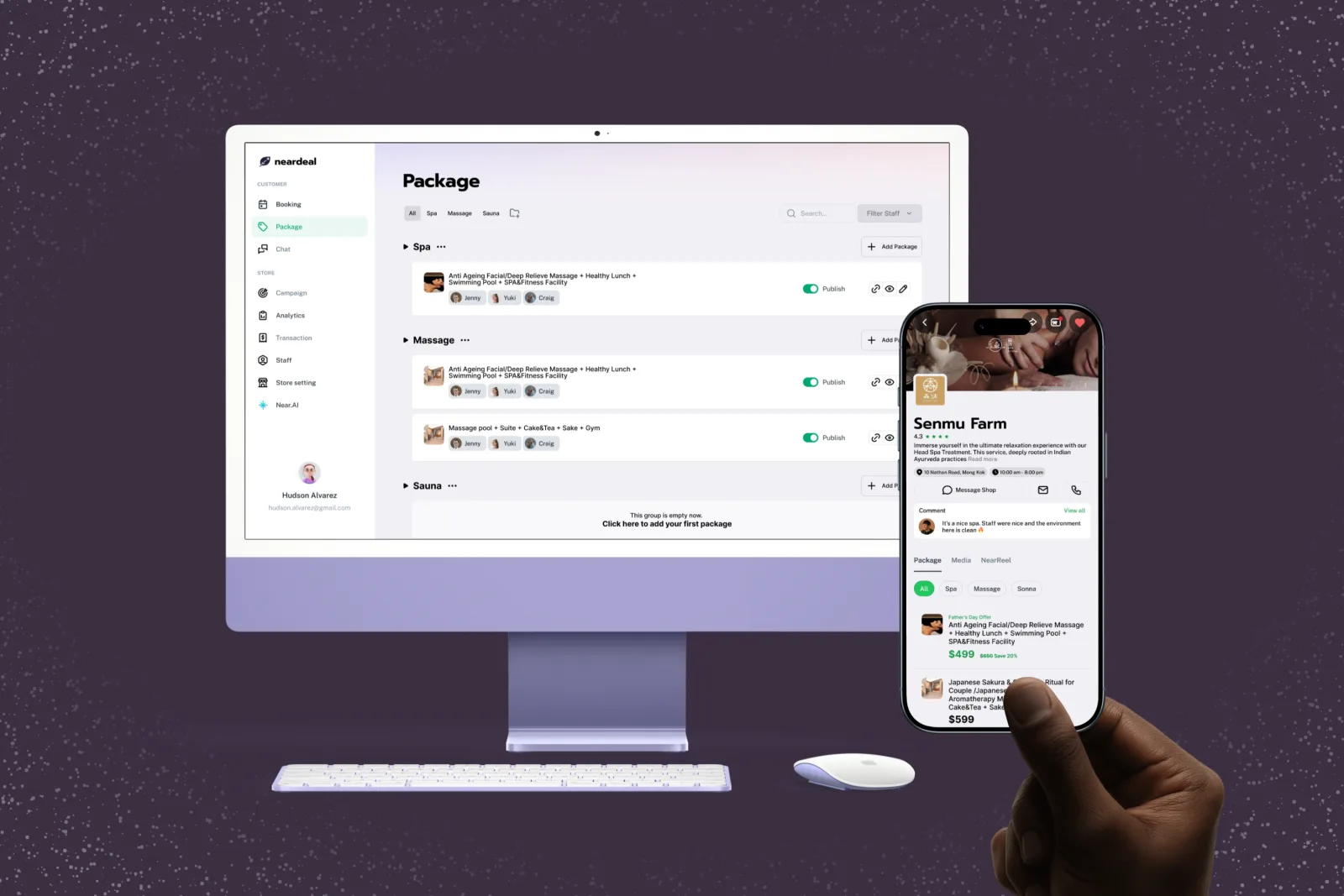
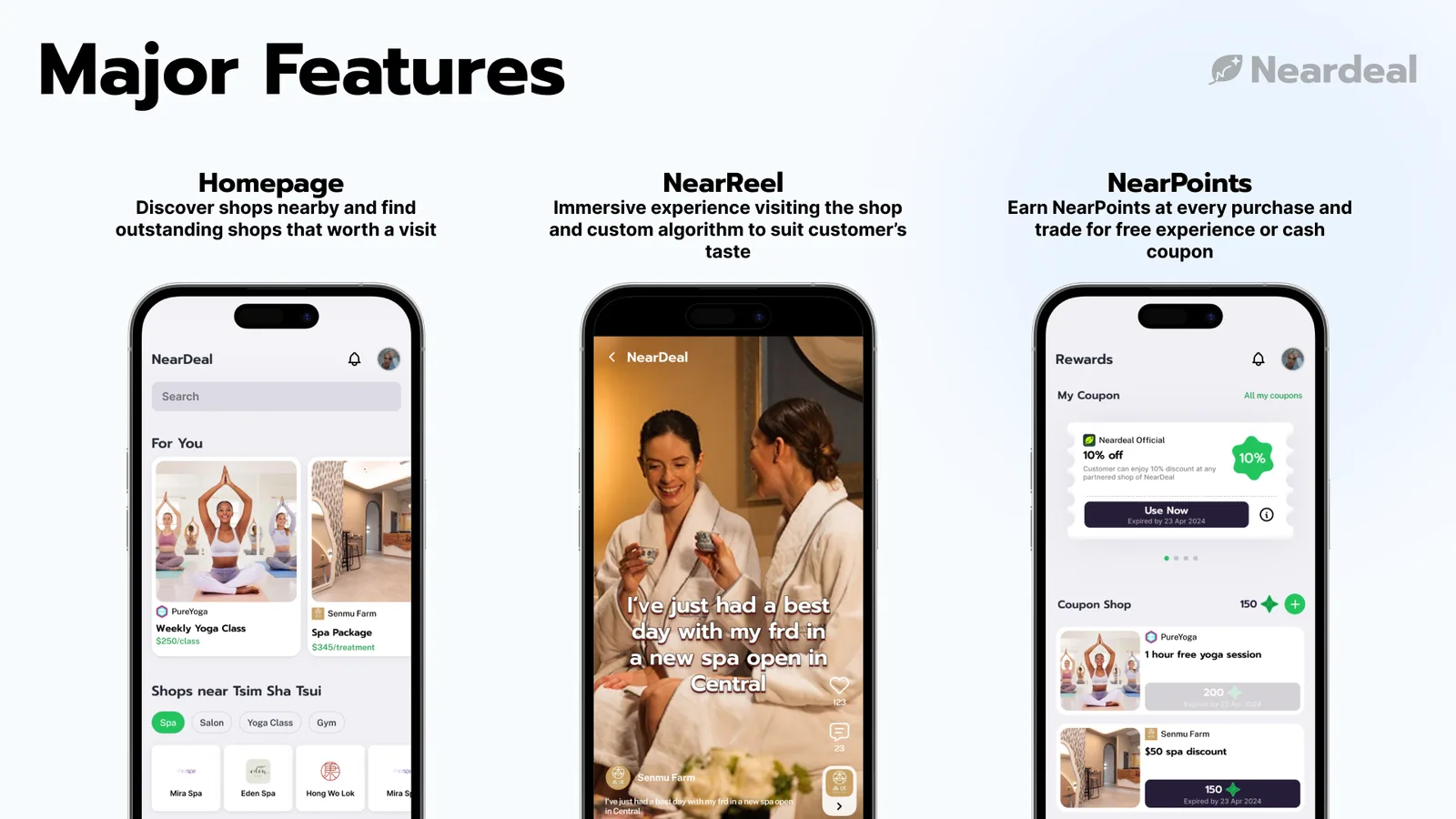
Neardeal is a two-sided marketplace that uses data to serve customers and merchants together.
For customers, a premium, intuitive interface with dynamic pricing that fills off-peak hours, giving users better value and merchants better yield.
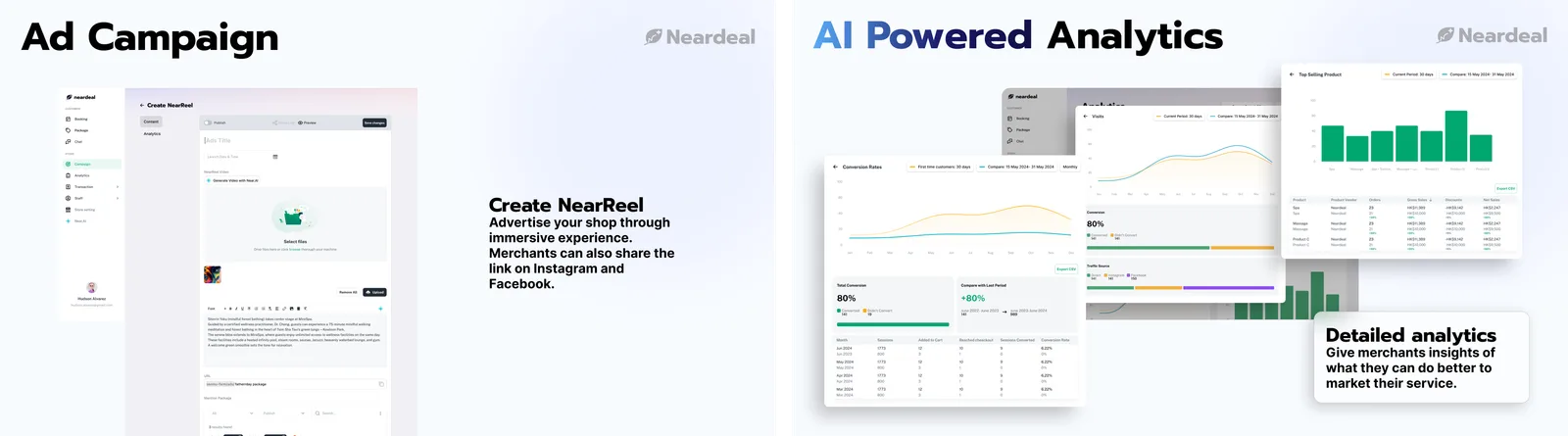
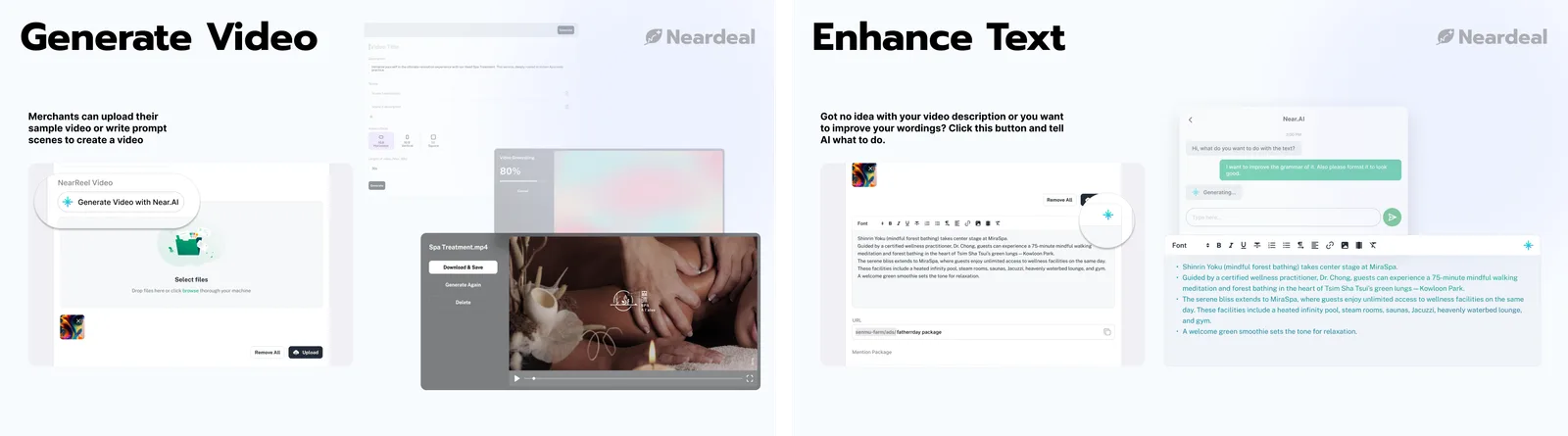
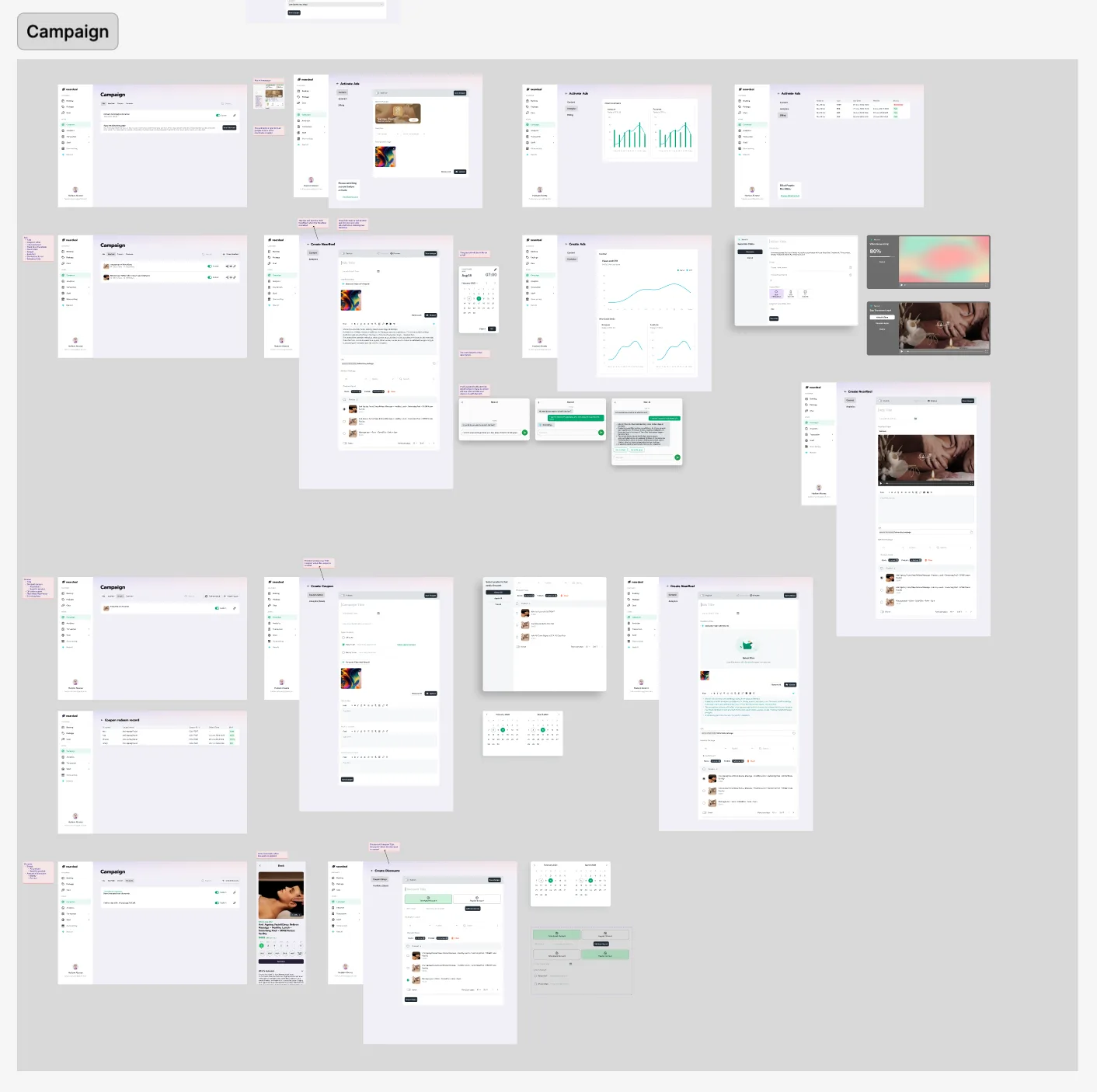
For merchants, an AI-integrated dashboard that optimises schedules and handles marketing: it writes package descriptions that convert and helps edit authentic, real-world video quickly.
Product
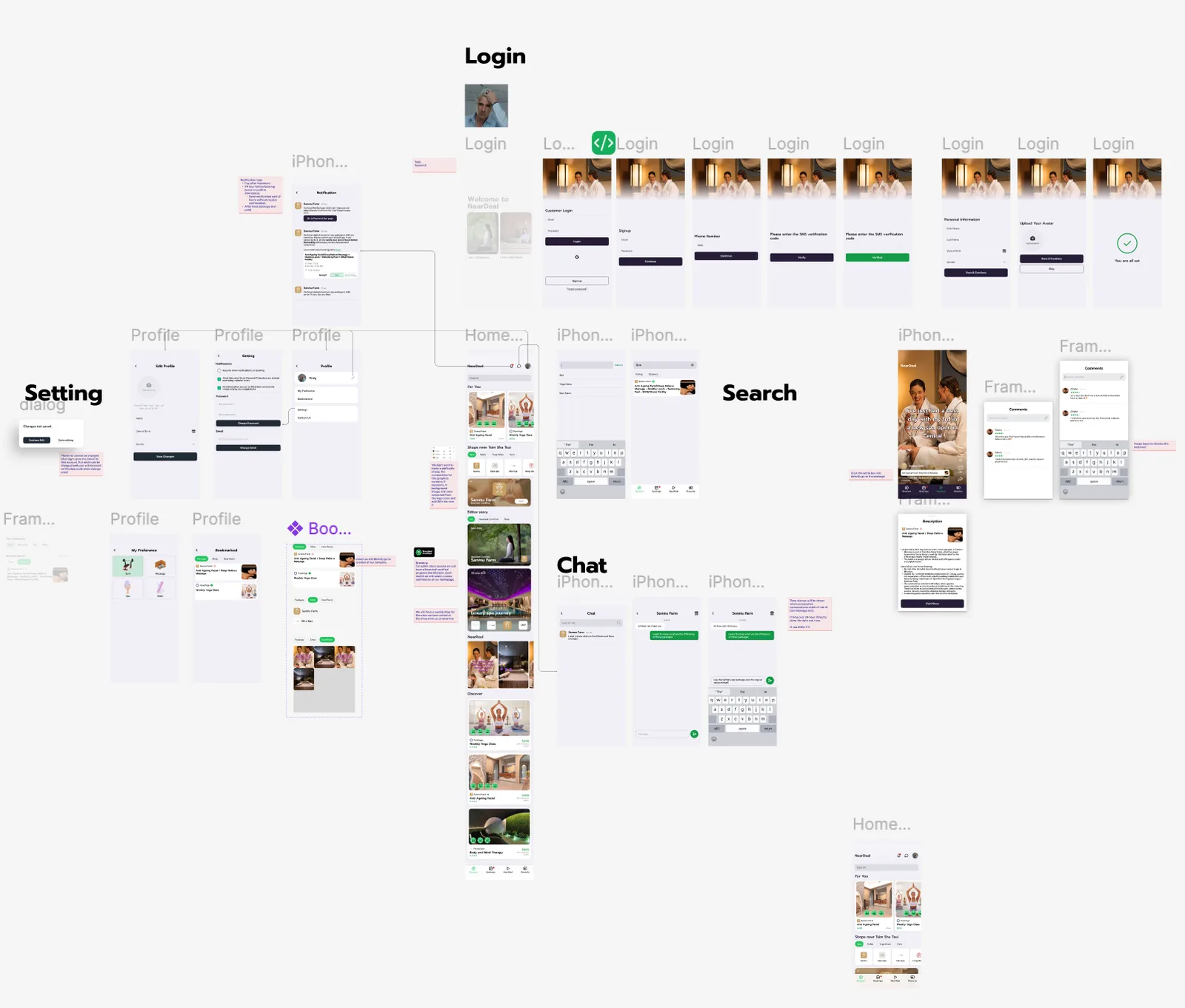
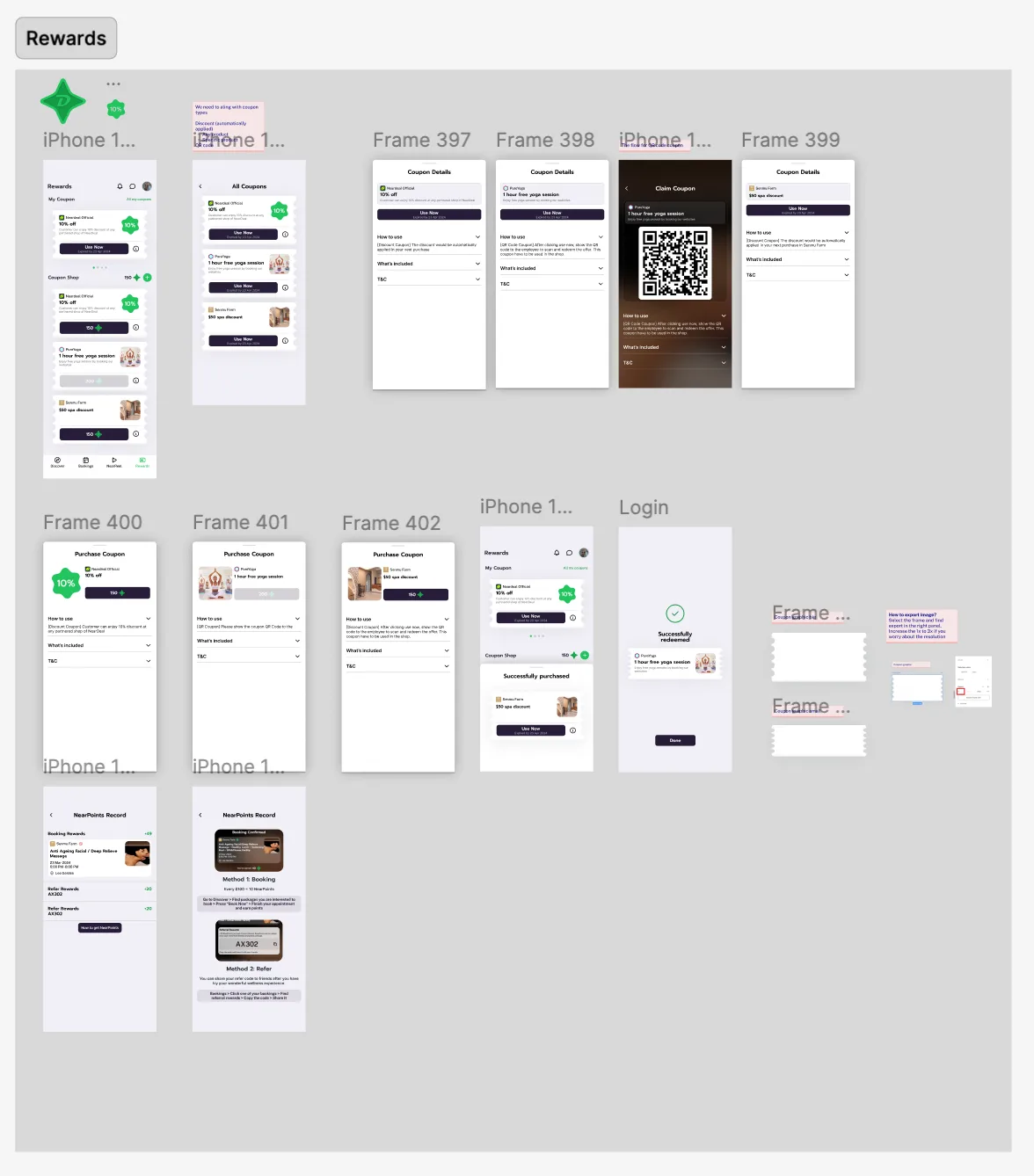
Three apps, one for each person in the booking.
Customers
A deal app that still feels premium.
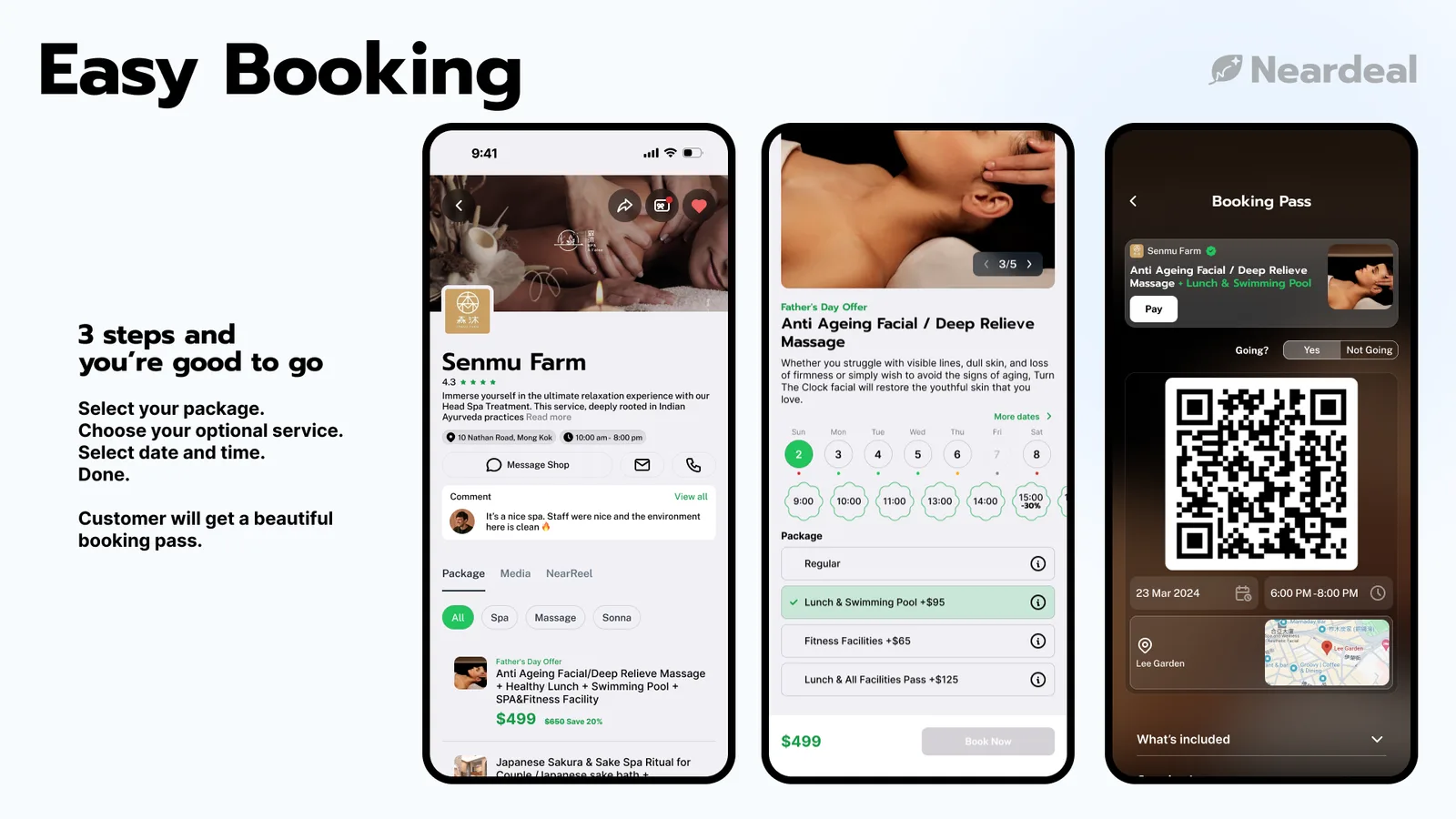
Deals are a large part of the vision, but the beauty industry expects a premium atmosphere, so every button, colour, card and animation is made to delight at first touch. Friction is designed out, like the three-step "book first, pay later" flow, to lift conversion.
Merchants
A dashboard you can learn without training.
A dashboard does not have to be complex or stuffed into panels. Most staff are not confident with computers, so the dashboard has to explain itself, need minimal training and prevent errors. I chose the copy carefully and tested several variations with real users.
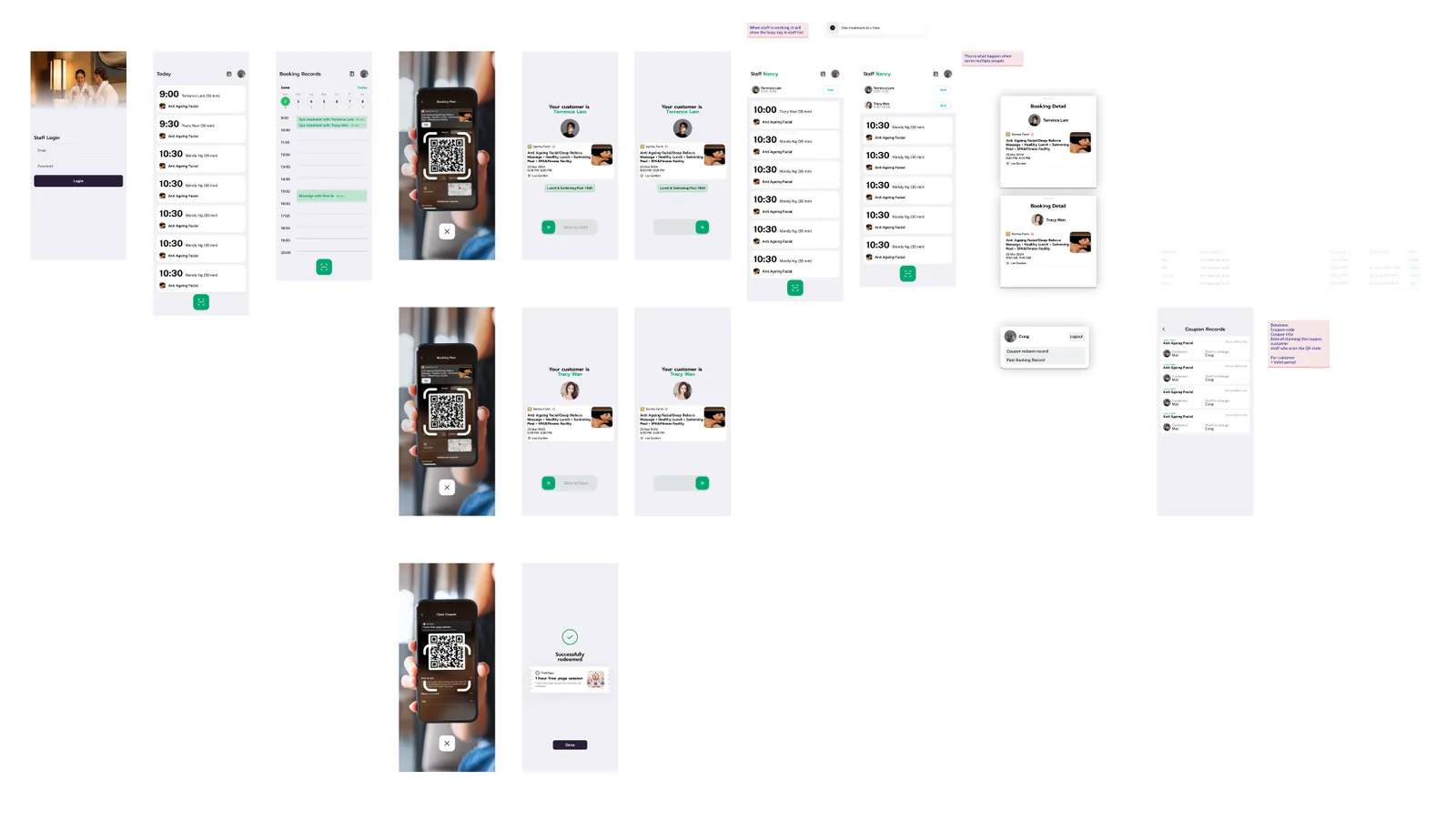
Staff
Everything at a glance, nothing to mis-tap.
The staff app's home page is free of distractions: one main action and large text. Staff confirm a booking with a slide gesture, so it cannot happen by accident.
Next
Project Melo & Melo Portal
Jul 2023 – Aug 2025
Timeline
UI/UX
Role
4 people
Team
Overview
How do you make a seat with a CEO worth competing for?
Melo Portal is the membership app of Project Melo, a community that connects students with like-minded peers and CEOs. Members earn tokens and bid them on events. I designed the portal in a team of four.
Research
We started by asking half the community.
Before designing anything, I interviewed 89 members, half of everyone in Melo. Two questions came out of it and shaped the whole portal:
How do we make bidding exciting the moment an event opens?
How do we make members feel the prestige of belonging?
So I spent the time on the two experiences that answer them:
Bidding
Make competing for a seat quick and a little thrilling.
Membership card and tokens
Make belonging feel premium.
Bidding
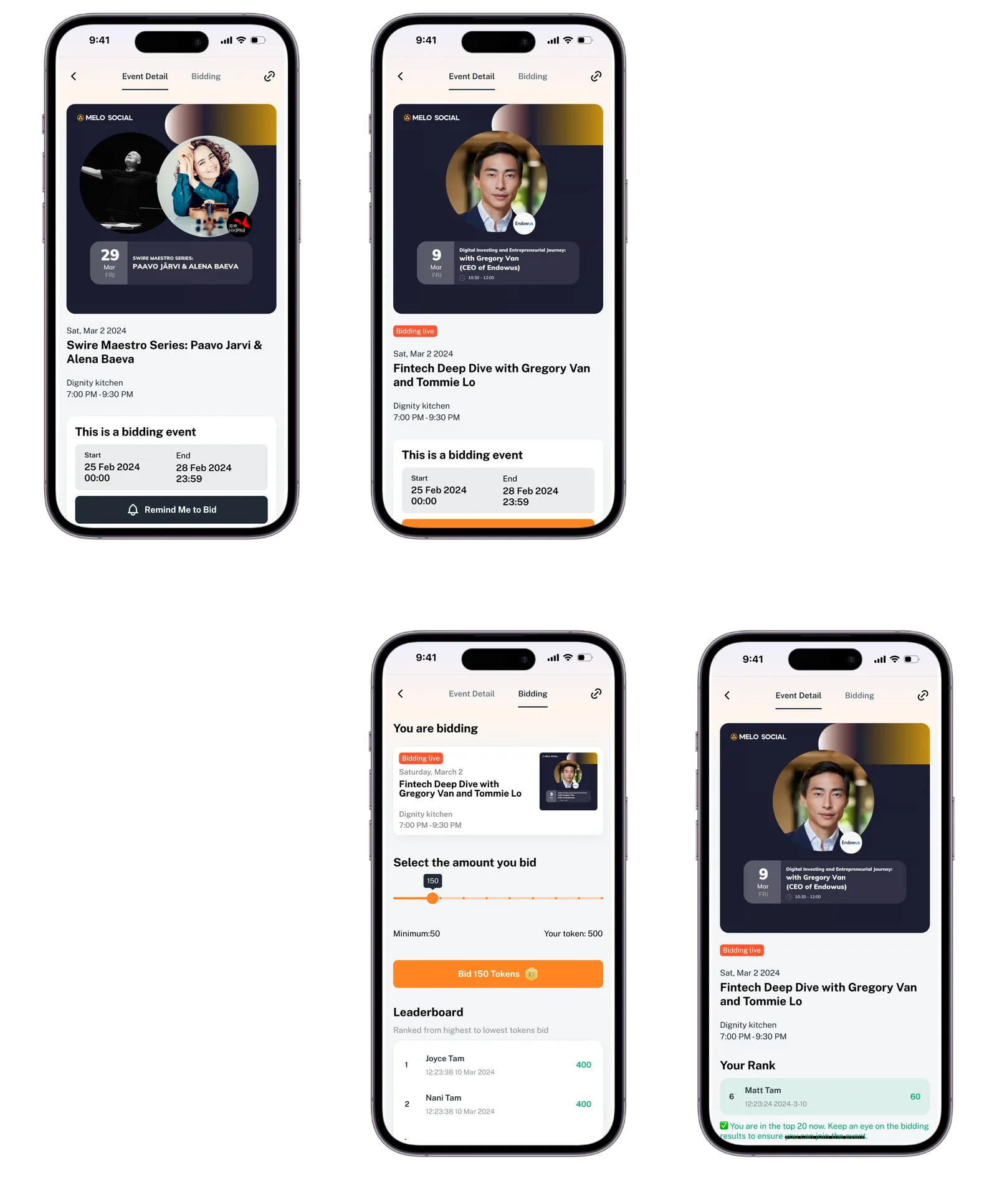
Slide to bid beat every other input.
I iterated through a number pad, a counter, a plain input field and more before settling on slide to bid. It lowers the effort of bidding, and it does three things the others could not:
See what is left
The slider shows the share of all tokens remaining.
See the floor
The minimum bid is visible at a glance.
Barely type
One gesture is the whole input.
Membership card
The card is the membership.
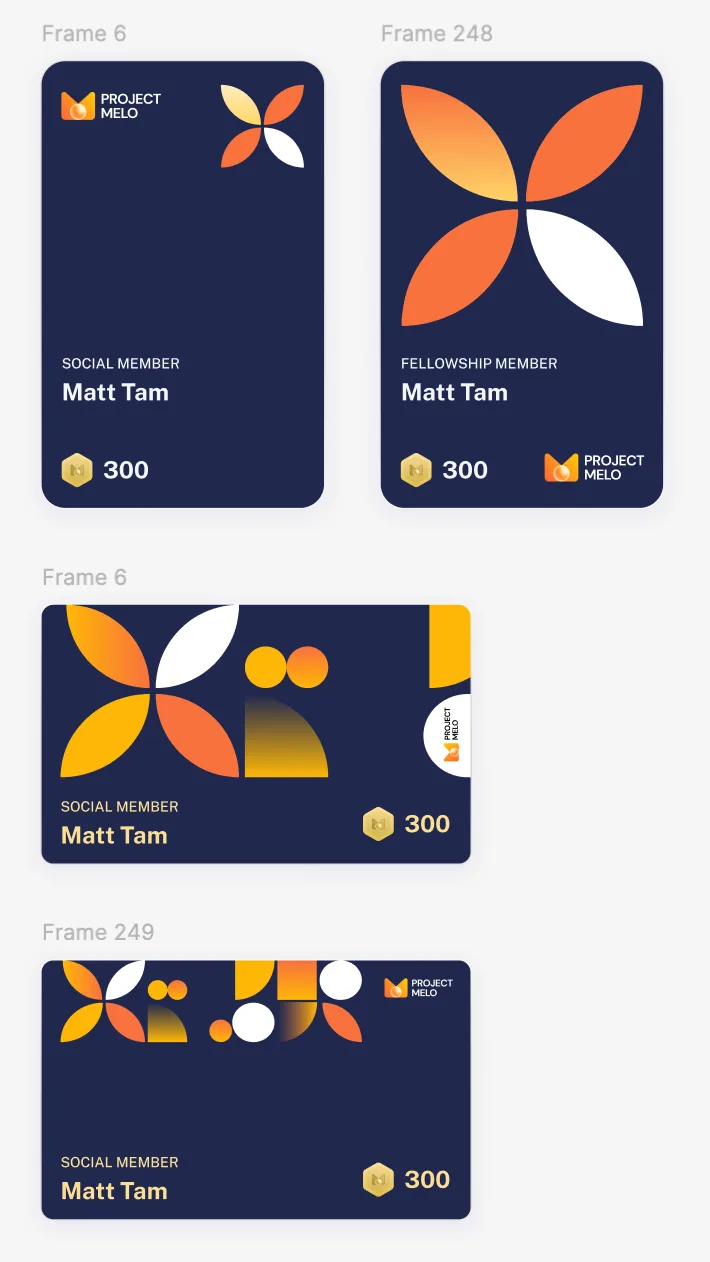
Vertical cards were the trend, so I iterated on a vertical design and invited members to give feedback on each version. Dark blue and orange carry the core Melo brand and give members an identity that feels premium.
Membership card iterations.
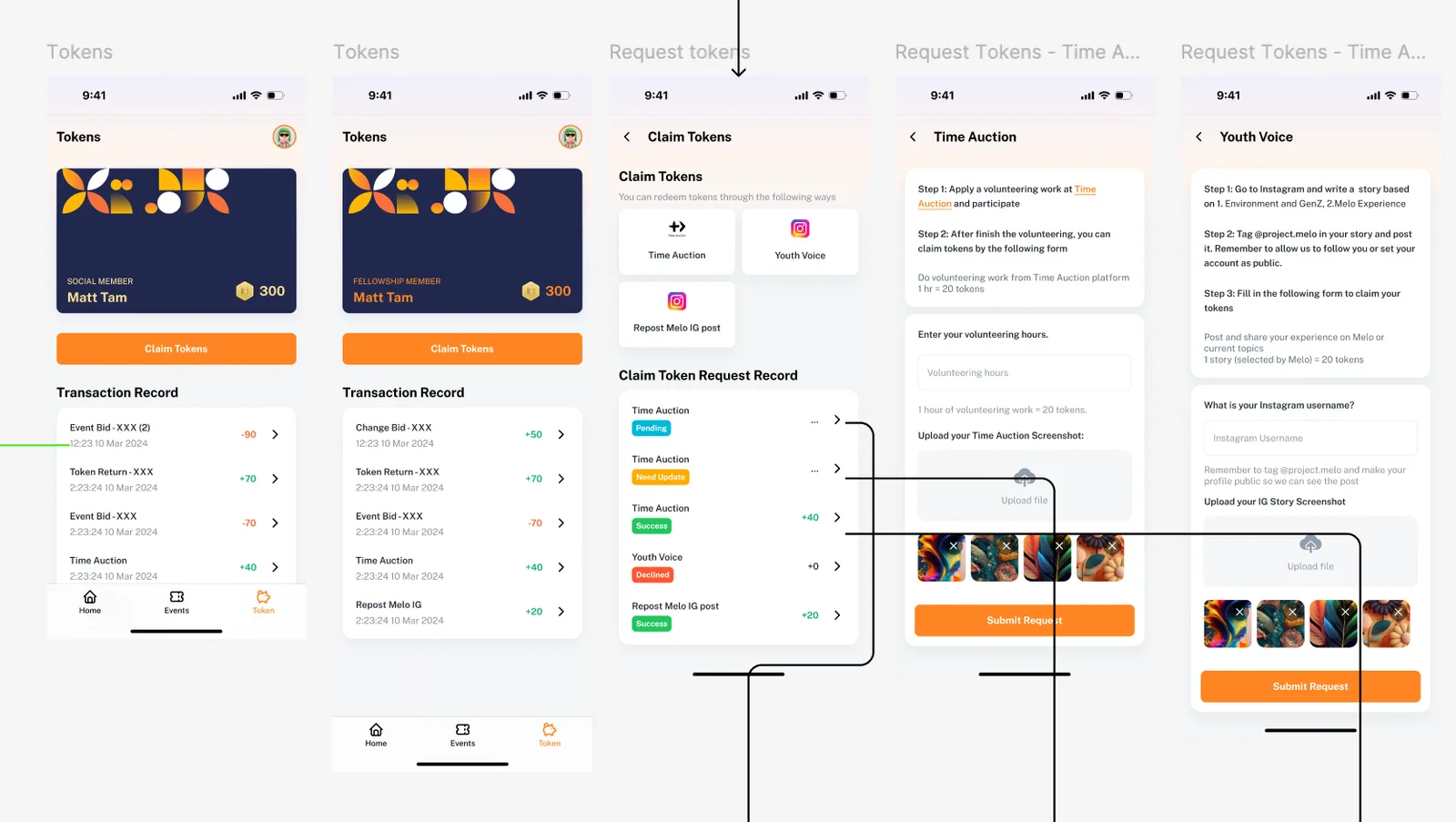
The token claim flow and the final membership card.
Outcome
Conversion rose 340% after launch.
Members praised the portal for how easy it was to use and how it looked.
How do you get a beginner from an idea to working hardware?
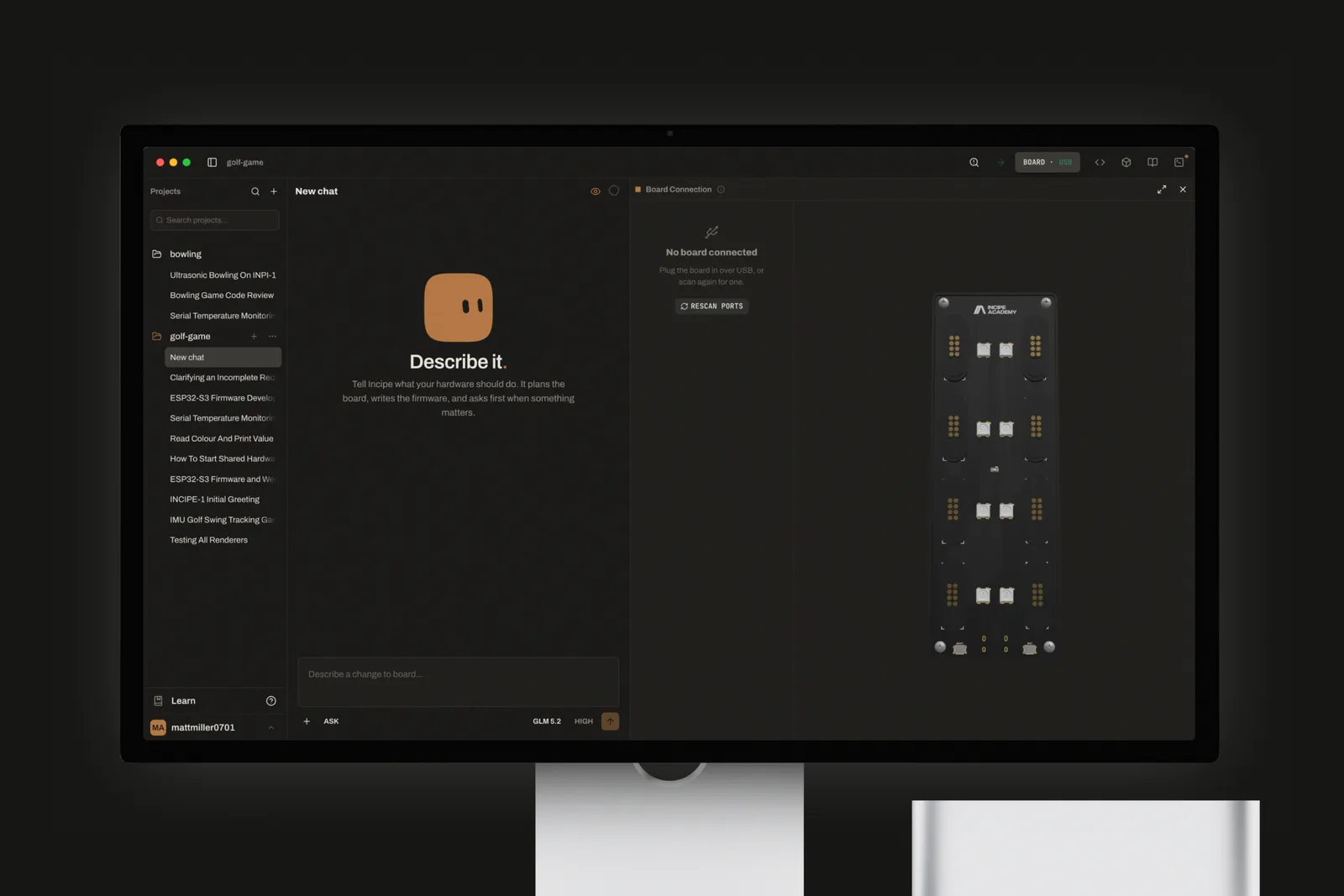
Incipe Academy teaches hardware to beginners. Incipe Workspace is its desktop app: describe what your hardware should do, and an AI agent plans the board, writes the firmware and shows every live connection in 3D. I designed and built it.
Problem
One sensor took six steps before you could build anything.
Most beginners give up somewhere in this list, long before they reach their idea. And both paths still end in the same place: the application logic is the part they actually came to write.
Traditional setup 6 steps
Read datasheets & register maps
Wire & power the sensor
Install & integrate drivers
Write configuration & reading code
Calibrate & debug readings
Build data logging
Incipe 2 steps
Snap in the sensor
Read it with one line of code
Integrate, deploy & test
Application logic is needed either way.
Solution
Incipe cuts it to two.
Snap the sensor into Incipe Board, then read it with one line of code using the Incipe libraries. Incipe Workspace mirrors every live connection on screen, so learners see the effect of each change the moment they make it.
US$48K
revenue in the first three months
80K
social media views in three months
Top Performer
HKSTP Incubation 2025
Onboarding
Unboxing the board is a moment worth marking.
Someone opening Incipe for the first time has just unboxed a new board. So the first run treats it as an occasion rather than a settings form: "Build it." on a black screen, the Incipe mark resolving out of a blur, then the mascot saying hello. Only then does it ask you to plug in your board and pick a project, and it hands you straight into the workspace.
First run
0:00
-0:00
Live preview
You see the board connect before you have to trust it.
With hardware, the first doubt is always whether anything is connected at all. Visibility of system status is one of the oldest rules in interface design, and here it is the whole point. The board preview is a live 3D model of the real board: plug in a sensor and it appears in the slot it is actually in, labelled with its port, while the connection panel beside it shows the USB port that was found. Nobody has to guess, and nobody has to read a log.
Live board preview
0:00
-0:00
Craft
Every default I caught became a rule.
When AI writes most of the code, the interface drifts toward defaults: a card inside a card, three dots at the end of every label, a coloured stripe down the side of a box. None of it is a decision. It is what you get when nobody decides.
So I kept a running log. Every time I caught a default, it became a written rule, and most rules became a test that fails the build if the slop comes back. A few of them:
One thing gets one surface. A field that is already a card does not get another card around it.
Text that runs out of room fades out. It never ends in three dots.
Status glows softly at the edge. It is never boxed in by a hard outline.
No accent stripe down the edge of a box. It is decoration pretending to be information.
A row of controls reads as one object: everything the same height, and the gaps tell you which buttons belong together.
Interface rules
Apply these rules to every screen of the app:
Never put a card inside a card. A field that is already a surface gets no second surface around it.
Truncate overflowing text with a fade mask, never an ellipsis.
Show status as an edge tinted at 35% of the status colour, never a solid 100% outline.
Never add a coloured accent stripe to the edge of a box.
Control rows: every control 24px tall, 4px between controls in a group, 8px between groups.
Write a test for each rule that fails the build when it is broken.
Panels
Panels follow your hand, not a timer.
The side panels open and close by dragging their edge, and the panel goes wherever the pointer goes. Drag past the edge of the window and back without letting go, and the panel is still there. Nothing is decided until you let go.
Opens at once
I cut the entrance short. In a tool people use all day, a panel should be there the moment you ask for it.
Warns before it closes
Pull a panel too far and it starts to lean away and fade, as if it is about to leave. Ease off and it settles back.
Comes back from the edge
Hover the sidebar button to peek at your projects without docking the panel. Hover the left edge of the window and a tip shows a click brings it back.
A closed panel is never far away. The smallest tug on its edge brings it out right under your hand, and a click puts it back at the width you left it. There is no seam line to hunt for, only a small grip that grows while you hold it.
Dragging the panels
0:00
-0:00
Panel recipe
Build resizable side panels that open and close by dragging their edge:
Capture the pointer for the whole drag, so leaving the window and coming back keeps the drag alive. Decide only on release.
Arm the collapse once the pointer is 200px past the panel's minimum width: lean the panel 20px toward its exit and fade it to 50% opacity. Release to close; drag back to cancel.
From a closed edge, a 4px pull opens the panel under the pointer. A click docks it at the width it was last left at.
Keep the entrance near-instant.
No seam line. The grip is a 3px pill, 24px tall at rest, growing to 40px while dragging.
Hovering the sidebar button peeks the panel without docking it. Hovering the window's left edge shows a tip that a click reopens it.
Press
Everything you can press, presses the same way.
Press anything in the app and it gives a little under your finger, like a real key, and dims as if you are holding it down. It is a dip, not a drop, and nothing floats up just because you hovered over it.
Letting go of a list row has a tiny bounce to it, the only spring in the whole app, so a release feels like letting go of something. Menus work like the ones on a Mac: press to open, slide to your choice, release to pick. They arrive the moment you ask and leave with a quick fade.
Press recipe
Give every pressable element one shared press state:
On press: scale to 98% over 0.2s and dim slightly. No lift or shadow on hover.
List rows return on an overshooting spring curve, the only overshooting curve in the app.
Menus open on pointer down and select on pointer up.
Menus enter instantly and exit with a 90ms opacity fade.
Sensor snap
A plugged-in sensor arrives on screen with a click.
Plug a module into the real board and you watch it happen on screen. The module drops into its slot on the 3D board, gathering speed as if it were falling into place, and lands exactly where it sits in your hand. It dips and springs back like a click, a puff of copper sparks bursts out, and its light comes on.
You hear it too. The click is made fresh every time rather than played from a recording, and it stays low and soft, closer to a knock on wood than a beep, so it feels like touching something rather than being alerted.
Sensor snap recipe
Animate a module seating into a 3D board (React Three Fiber):
Drop the module for 440ms on an accelerating ease-in, landing exactly on the seated model's position.
On contact, dip and spring back, burst 28 copper particles outward over 0.55s, and turn the module's light on.
Synthesise the sound live with Web Audio: a short noise click, a low body sliding from 210Hz to 150Hz, then a soft tick.
Keep every part of the sound below the harsh 2–4kHz band.
Board connect
The board lands in the header as a wave of dots.
When the board connects, its 3D model spins into view and then flies up into the Board button in the header, so you see exactly where it went and where to find it again. As it lands, a ripple of dots spreads across the button.
That ripple replaced a copper outline flash, exactly the kind of hard outline the rule log bans. The dots do not zoom towards you. They were there all along, uncovered by a widening ring. The mascot plays the same ripple, so the two feel related.
Plugging in the board
0:00
-0:00
Board connect recipe
When the board connects:
Spin its 3D model into view, then fly it onto the header's Board button in 460ms.
On landing, sweep a ring of dots across the button over 760ms.
Build the wave as a mask: keep the dot grid still and reveal it with a growing ring. Never scale the dots.
Play the same wave on the mascot.
Agent
The agent is a companion that points, not only a wall of text.
Learning to code alone is lonely, and a long reply is easy to skim past. So the agent comes with a mascot: a small blob that thinks, reacts and keeps a beginner company while they build. Replies render as proper Markdown, with headings, lists and code, so a plan reads like a plan.
When you ask how to do something in the app, the agent does not stop at describing it. It highlights the buttons in the app itself, one coach mark at a time, so the companion works like a pet showing you around the interface.
The agent as a guide
0:00
-0:00
Corners
Every corner is a continuous curve.
Every corner in the app has the soft, continuous curve of an iPhone icon, rather than a circle stuck onto a straight edge. Where the screen cannot draw it, it quietly falls back to an ordinary rounded corner. And every corner is the same size, so nothing looks borrowed from another app.
Where the curve matters most, I drew it by hand. The blinking cursor in onboarding is a true squircle, and the shader that takes over from it draws the very same curve, so you never see the swap. The mascot's body is one too, softening from squarer to rounder as it shrinks into the message box.
Corner recipe
Use a superellipse matched to Figma's 60% corner smoothing wherever the renderer supports it, and fall back to border-radius where it does not.
Use one radius for everything: 6px.
Draw the onboarding caret as a true squircle, and have the shader that replaces it draw the identical curve.
Morph the mascot's superellipse from squarer to rounder as it shrinks into the composer.
Motion
Blur, fade and morph keep it one moving thing.
A few motion rules kept the app feeling like one continuous thing:
Blur sells continuity. A plain fade looks like one thing vanishing and another popping in. Add a touch of blur and a slight shrink, and the mascot changing seats reads as the same creature moving.
Words trade places. "Thinking" drifts up and softens away as "Done" rises in beneath it, so you see the status change instead of missing it.
Shapes morph instead of cutting. The mascot's outline flows from one shape into the next rather than jumping.
Exits carry the motion. Things arrive the instant you ask for them. The movement goes on the way out, where it costs you nothing.
Stagger only when it tells a story. Onboarding unfolds a line at a time because it is a welcome. Panels never do, because you are working.
Reduced motion keeps the result. It drops the movement, never the content.
Motion recipe
Mascot changing seats: cross-fade with a 3px blur and a 95% scale over 0.28s.
Status words: swap in 150ms. The outgoing word rises, blurs 2px and fades while the incoming word rises from below, out of the same blur.
Mascot outline: interpolate between shapes, never cut.
Entrances are instant or opacity only. Put the travel on exits.
Onboarding: stagger items 40ms apart, each rising 12px out of a 3px blur over 500ms. Panels never stagger.
Reduced motion: remove the movement, keep every piece of content.
Built with
Electron, React and a 3D board.
Electron, React and TypeScript, with React Three Fiber for the 3D board, a LangChain and LangGraph agent, and Supabase. The dot-matrix wave was adapted from the sekei-xyz reference, and the mascot from the open-source Bloub.
How do you remember everyone you met, and what you promised each of them?
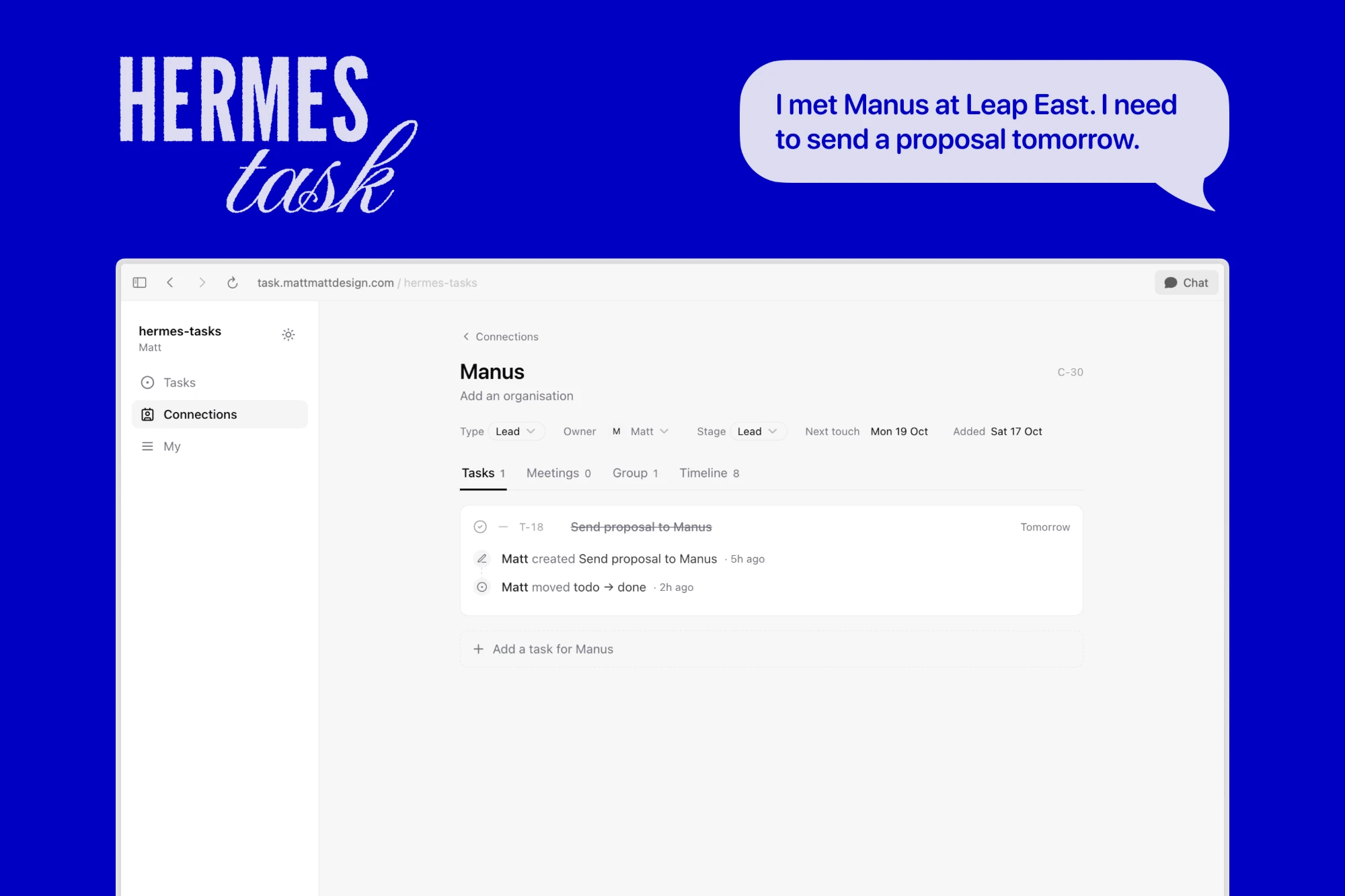
The Incipe team is four people, and between us we meet investors, partner institutions and distributors every week. Hermes Task tracks those people and the tasks we owe them. Nobody has to open it to keep it current: you tell Hermes, an open-source AI agent, in Telegram, and it updates the app. I designed and built it on my own in eleven days.
A tour of the app
0:00
-0:00
Problem
After LEAP East, I had more people to follow up than I could remember.
A week at a conference ends with a pile of contacts and a promise made to each one. The tools we had stored tasks, but they forgot who each task was for. And at the end of a day of meetings, nobody wants to open another app.
People pile up
Investors, institutions and distributors arrive faster than anyone can remember them.
Promises slip
Each conversation ends with something we owe them, and that is the first thing to go.
Apps wait to be opened
After a day of meetings, a dashboard is one screen too many. A message is not.
Approach
Tell an assistant instead of filling in a database.
When you get home from a meeting, you could open an app, find the person and fill in three forms. Or you could send one message. So we had to ask: what if updating the app was as easy as telling a private assistant what happened?
A task app 5 steps
Open the app
Find the person
Write the meeting note
Create each task
Set the next follow-up date
Hermes Task 1 step
Send Hermes one message
Follow up on time
Both end with the same record.
Hermes reads "I met Williams today, I'll meet him next Monday, help me prepare a proposal". From that one sentence it writes a meeting note on David Williams, creates two tasks with due dates and sets when to get back to him. The app on screen changes while you watch.
Logging a meeting
0:00
-0:00
Agent
Everything is designed so Hermes reads as little as possible.
Every time the agent reads or writes, it spends tokens and time. So I judged every change by one question: does this cut what Hermes has to read for each message?
Short IDs
Every record gets an ID like T-20 or C-6, never a 36-character UUID, so you and Hermes call it by the same name.
Three verbs
Hermes can apply changes, find a record or fetch the daily brief. One message becomes one batch of changes.
Replies to repeat
The server answers with a single line per change, written so Hermes can pass it straight on to you.
When a name matches two people, Hermes asks which one you mean instead of guessing. A mistake is fixed the same way it was made: change it in the app, or tell Hermes to put it back. The app has no chat panel of its own. Telegram is the only place to talk to Hermes, so every change, from a person or an agent, goes through one write path and lands in one timeline.
Closing a task
0:00
-0:00
Reminders
The assistant comes to you.
Each person has a date for when to get back to them, and the app has no scheduler of its own. Hermes runs a scheduled job instead: it fetches the day's brief, which is already written out, and sends it on. It lists what is due, what is waiting on someone else and who needs a follow-up today.
Other agents can connect too. Each member creates their own access key in the app and gets an MCP server that holds no database password, so it is safe to hand to a colleague.
Speed
Clicking a tab asks the database for nothing.
The first version was as slow as ClickUp. One hour of one person browsing made 1,692 database requests, for nine contacts and five tasks. I took the idea behind Linear's sync engine and built the small version of it:
One copy in the browser. The server sends the whole workspace once, on a cold load. Every screen reads from that copy, so going from Tasks to Connections and back costs zero requests.
Saved for the next visit. The copy is also saved in the browser and read before the first paint, so a return visit opens on yesterday's data and quietly catches up.
Live without polling. When someone else, or Hermes, changes something, the database pushes a signal and the copy refreshes. No refresh button.
Edits show first. Your change appears at once and is saved behind it. If the save fails, the old value comes back.
No loading screens. I deleted every skeleton. If something still flashes, that is a bug, not a wait.
1,692
requests in one hour, before
About 30
requests in two hours on an iPhone, after
0
requests to switch tabs
Motion
The page can slide because it never waits.
Pages slide in the direction you are going, so you always know whether you went forward or back. The old page stays put while it leaves, so the two pass each other instead of one cutting to the other. The slide only works because the new page has nothing to wait for. Otherwise it would be a moment of empty box sliding in.
Changing pages
0:00
-0:00
Page transition recipe
Animate route changes as a short directional slide:
250ms: 8px of travel, a fade and a 3px blur.
Slide forward or back according to where the user is going.
Keep the old page mounted while it leaves, so the two pages cross rather than cut.
Only do this when the next page renders from local data with no fetch; otherwise the slide is 250ms of empty box.
Trade-off
I left out the parts Linear only needs at scale.
Linear also keeps a full local database, tracks every field on its own and sends only what changed. Those pay off at tens of thousands of rows. This workspace holds tens. So any change re-reads the whole workspace, and the copy lives in plain browser storage, which can be read before the first paint.
Reflection
What I would keep.
Design for the agent
When an agent is the main user, its token budget is the interface.
Meet people where they talk
A message gets sent; a form gets put off.
Delete the wait
Fast is not a faster spinner. It is no reason to show one.
Built with
Next.js, Supabase and Hermes.
Next.js and Supabase, with Supabase Realtime for live updates, the open-source Hermes agent in Telegram, and an MCP server so other agents can use the app too.
Next
HKUST AIS
May 2026 – Jun 2026
Timeline
Brand and graphic design
Role
Overview
How do you make an office say who works in it?
The faculty of the Academy of Interdisciplinary Studies (AIS) invited me to collaborate on an office renovation. My brief was to refresh the brand of its Division of Integrative Systems and Design (ISD) and translate the division's story into large-scale wallpaper, in the two months from May to June 2026.
Problem
A logo cannot cover a wall.
A logo works small and at a glance. A wall is seen every day, from across a corridor and from a step away. ISD needed a system that could repeat, scale up to a room and still mean something up close.
Approach
Everything grows from one dot.
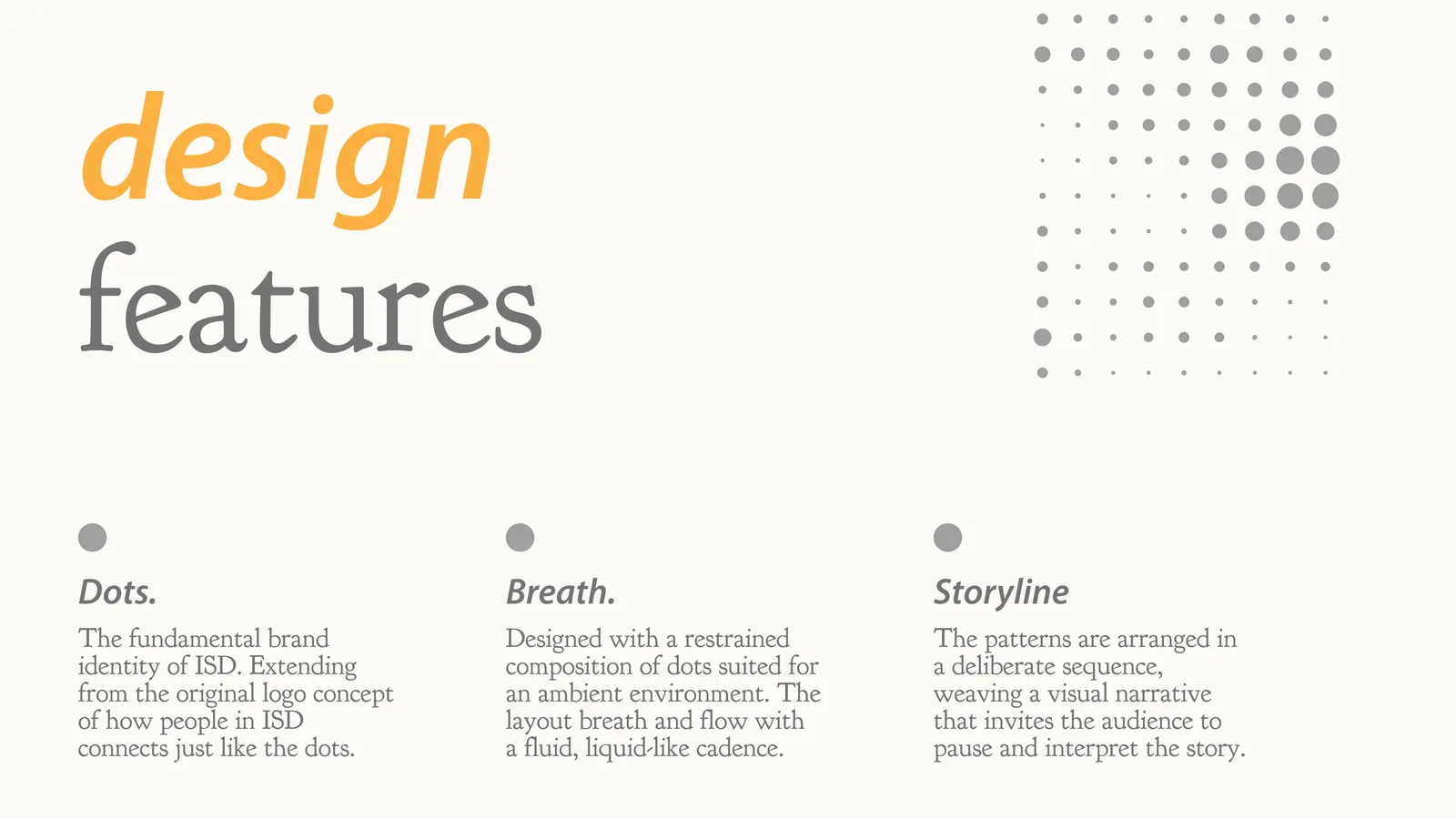
I took the dot from the core geometry of the ISD logo and anchored the entire system on it. Three rules shaped every layout:
Dots
The basic unit, taken from the logo: people in ISD connect the way the dots do.
Breath
A restrained composition for an ambient space, so the layout breathes and flows.
Storyline
Patterns set in a deliberate sequence that invites people to pause and read.
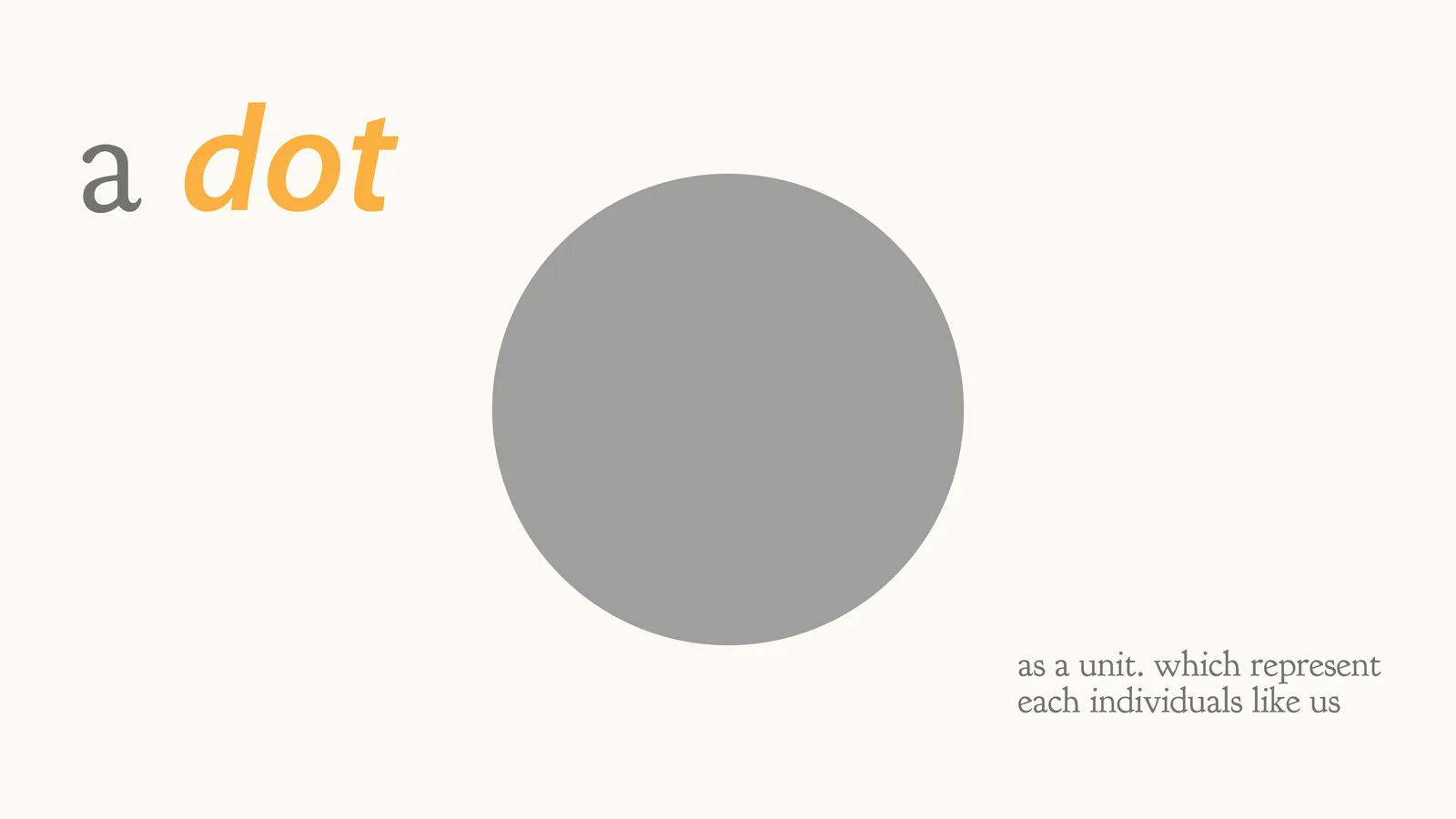
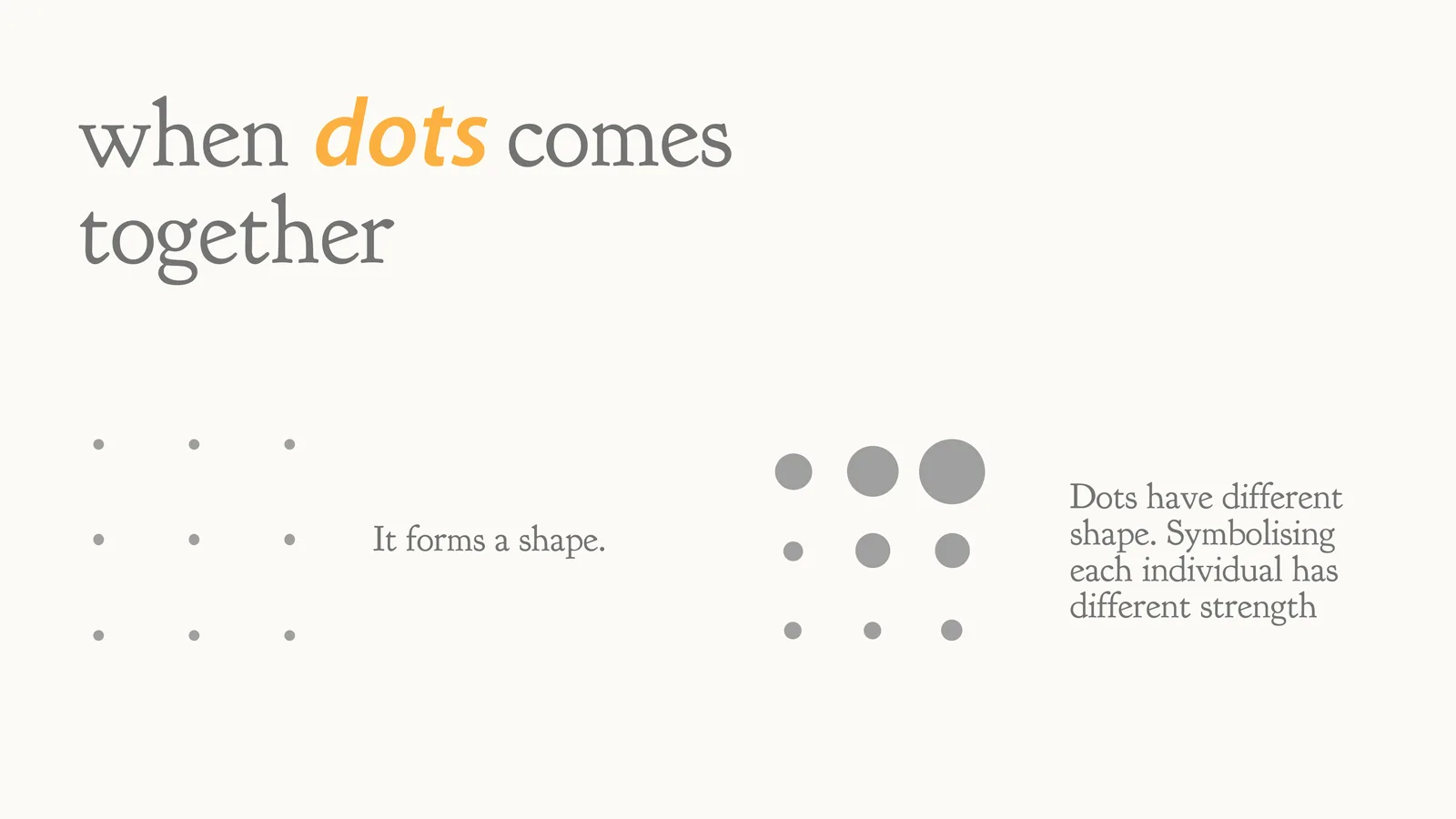
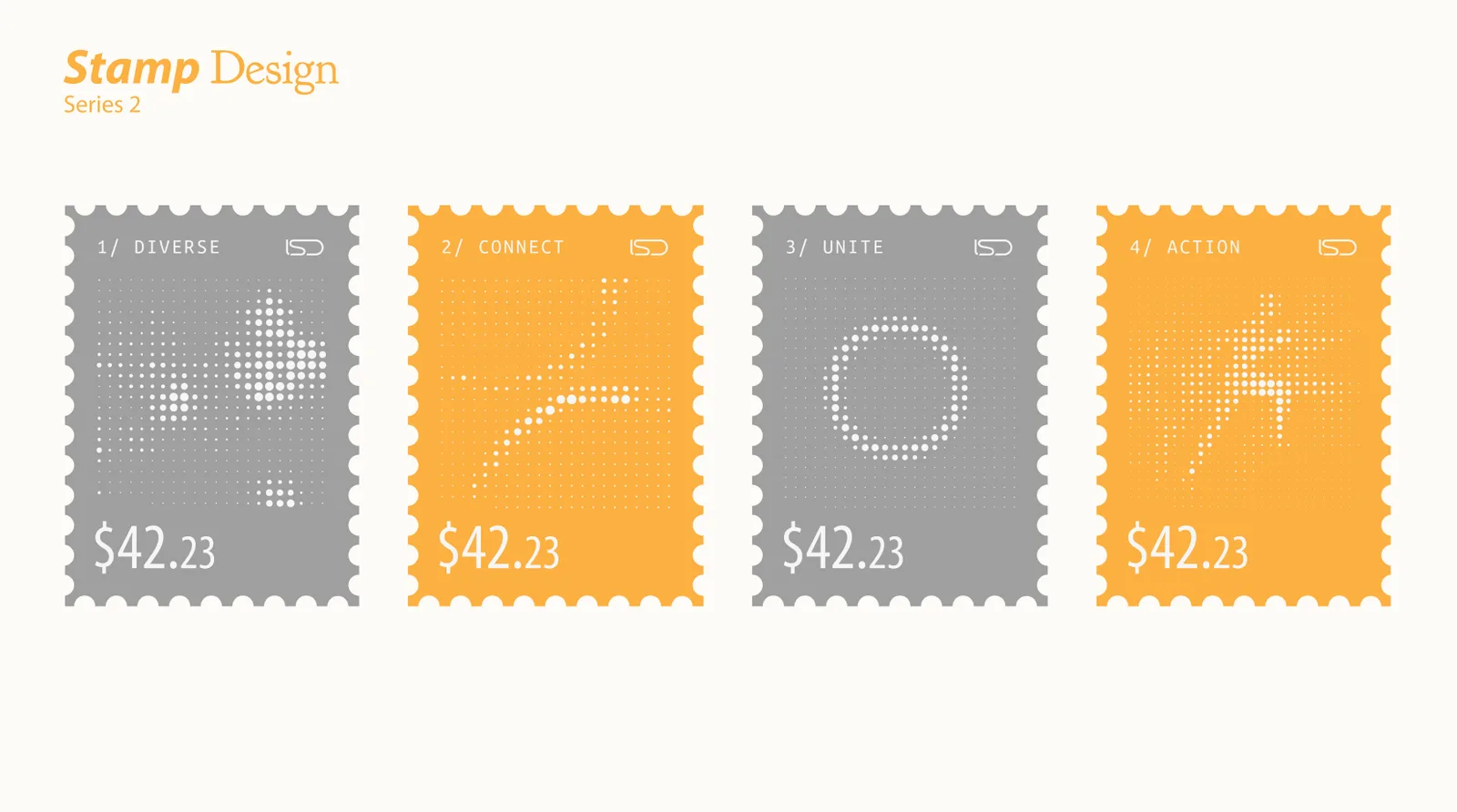
A single dot is one person. Set side by side, dots form a shape. Given different sizes, they show that every person brings a different strength.
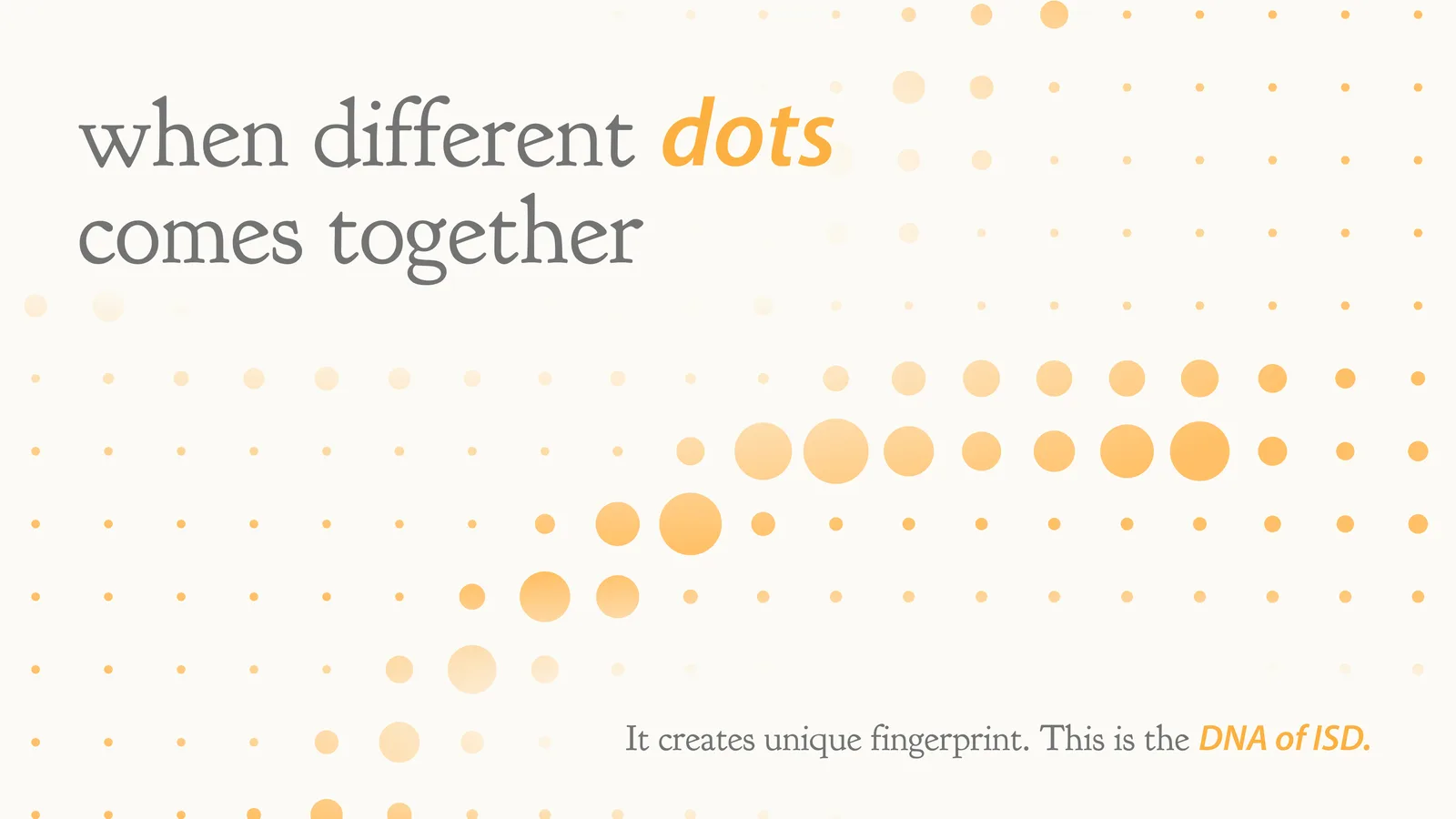
When different dots come together, they make a pattern no other group has: a fingerprint, the DNA of ISD.
Storyline
The story is told in four chapters.
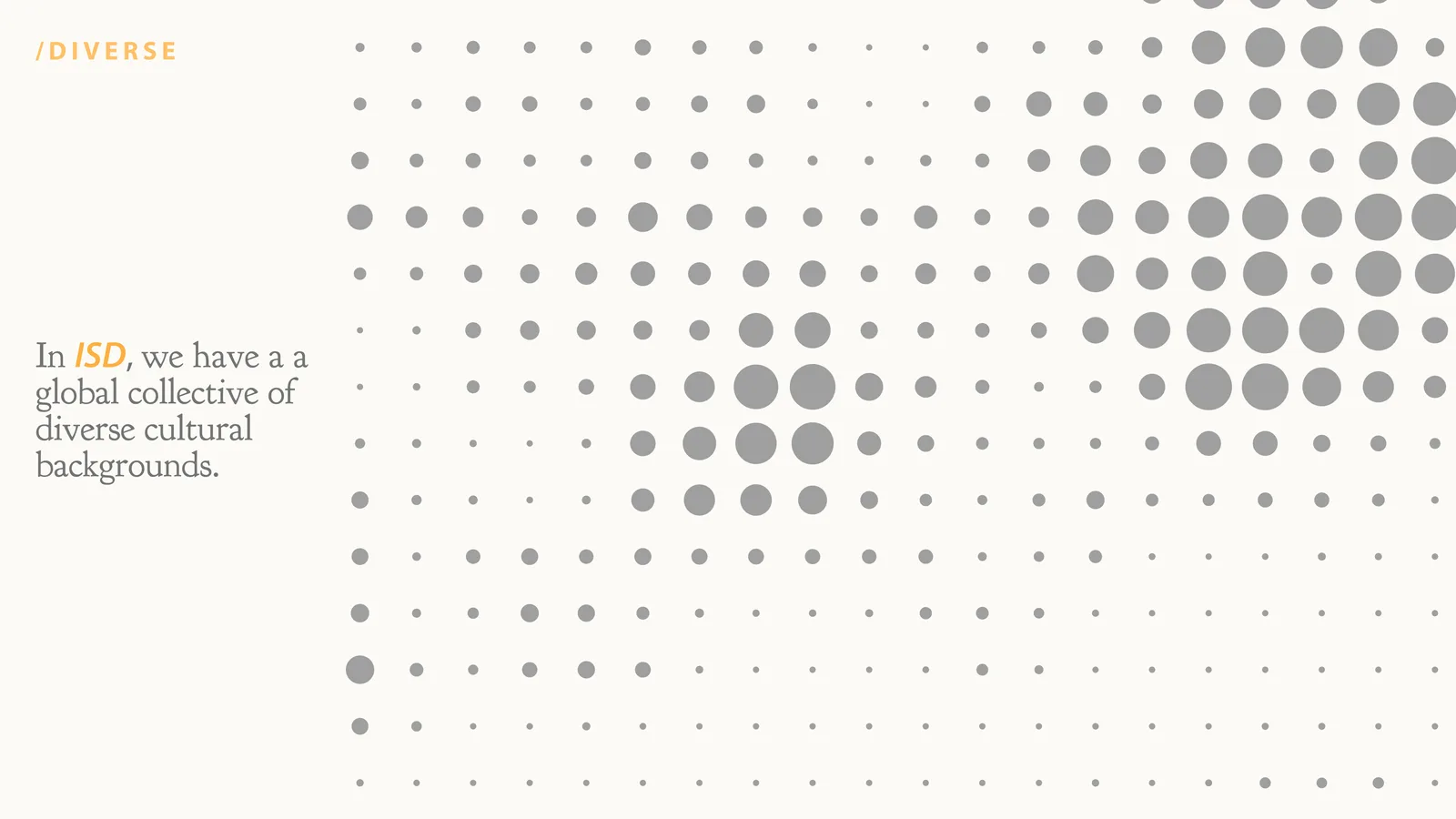
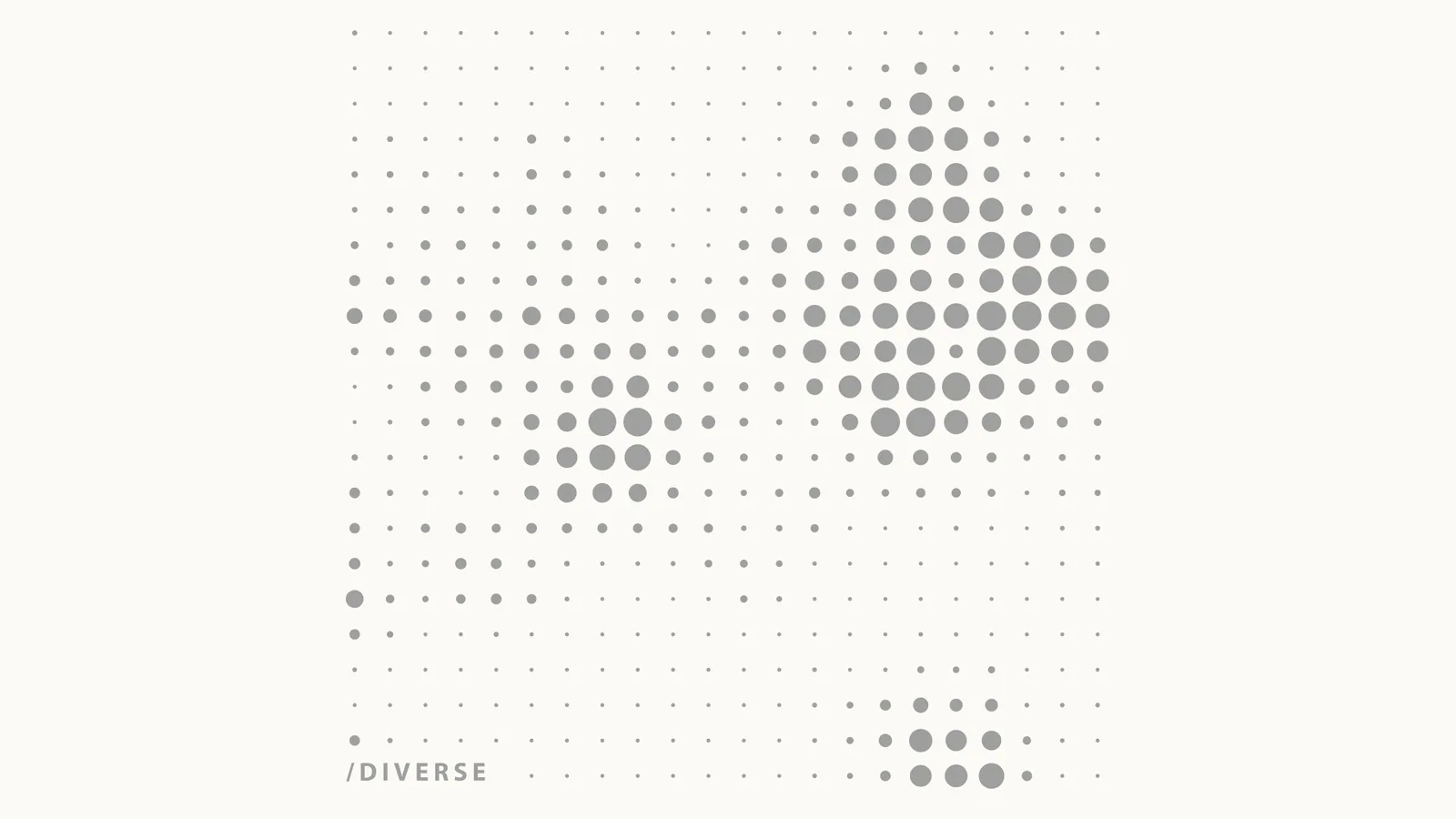
Diverse
A global collective from many cultural backgrounds.
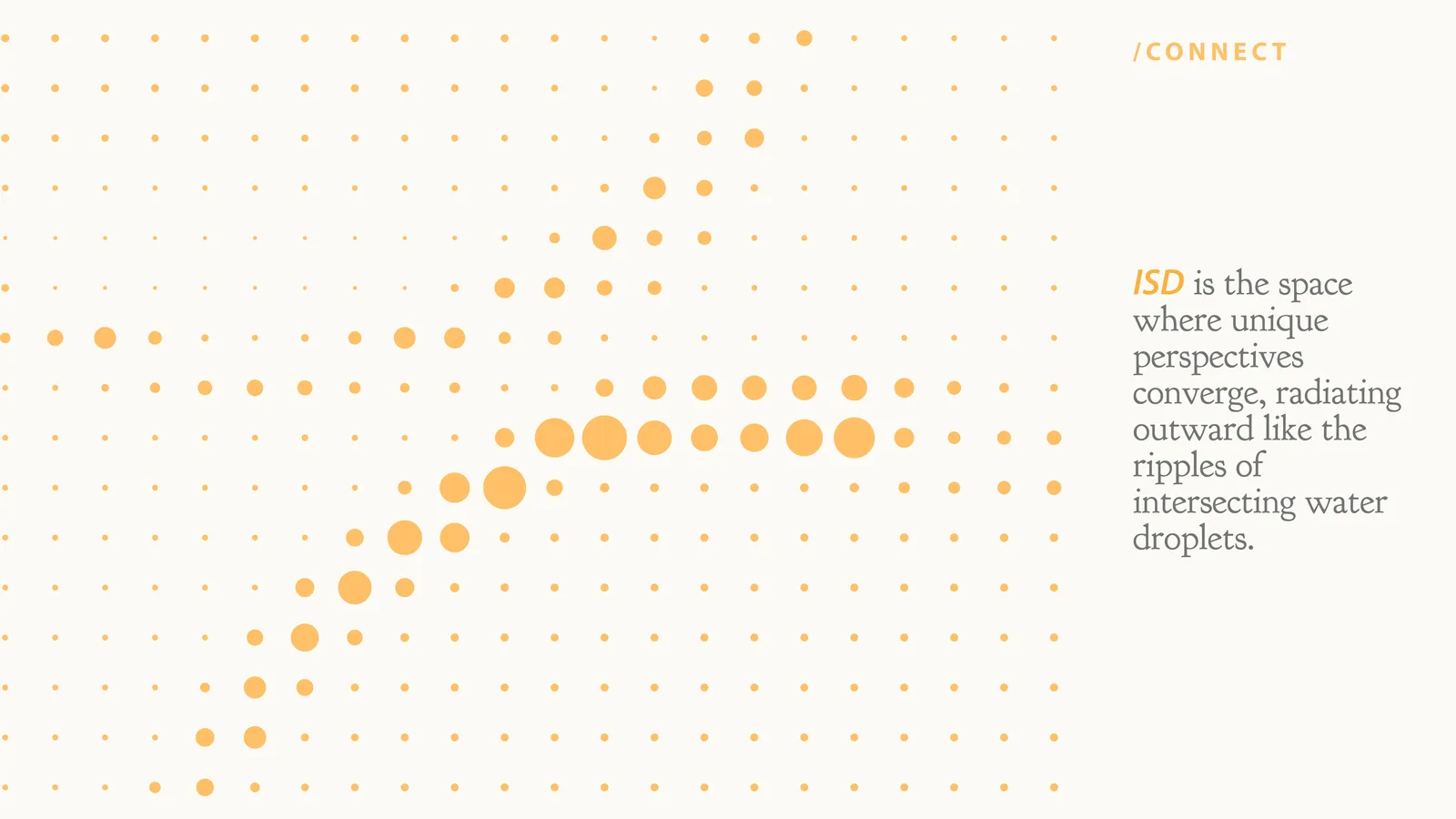
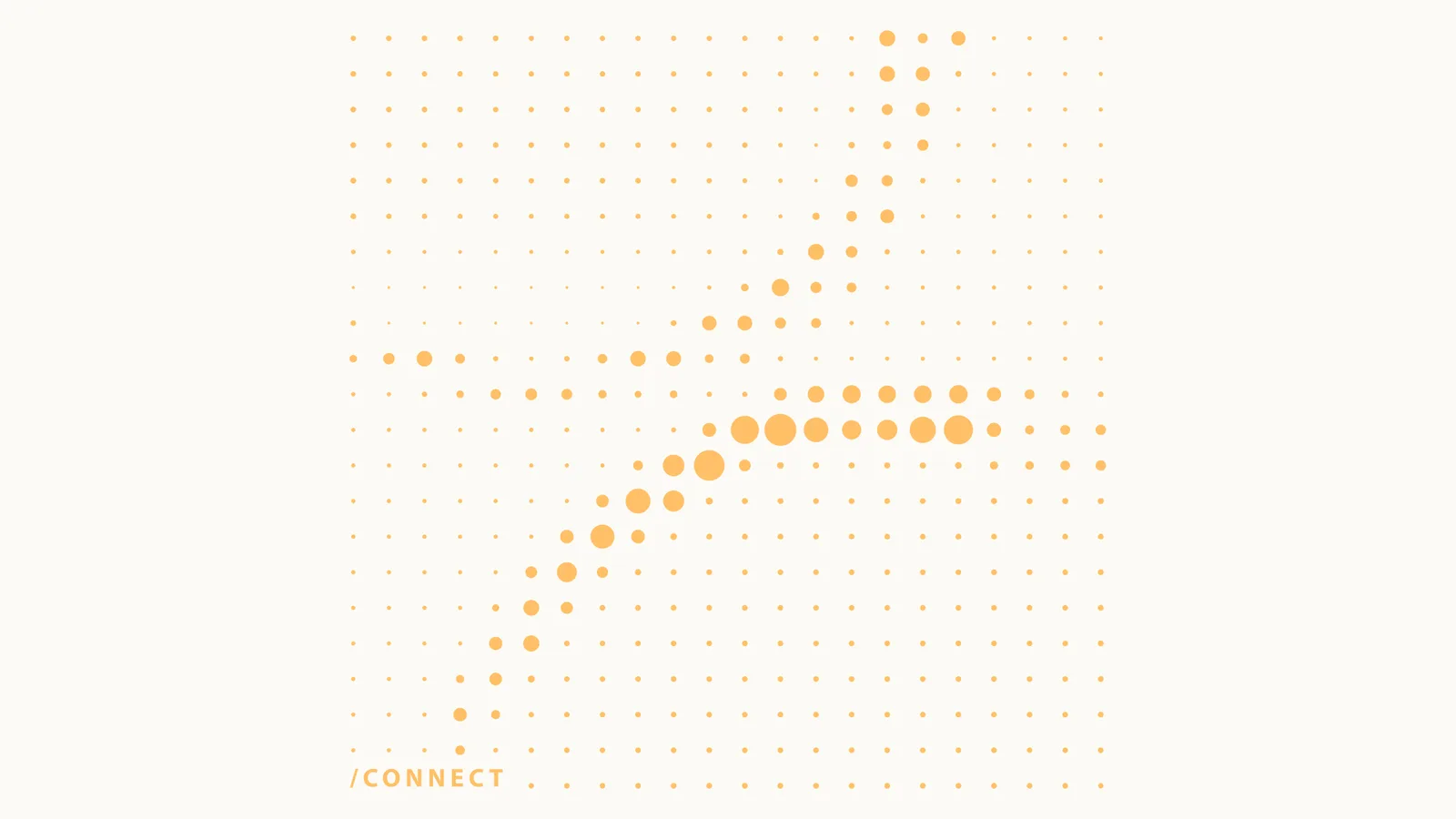
Connect
Unique perspectives converge and radiate like ripples.
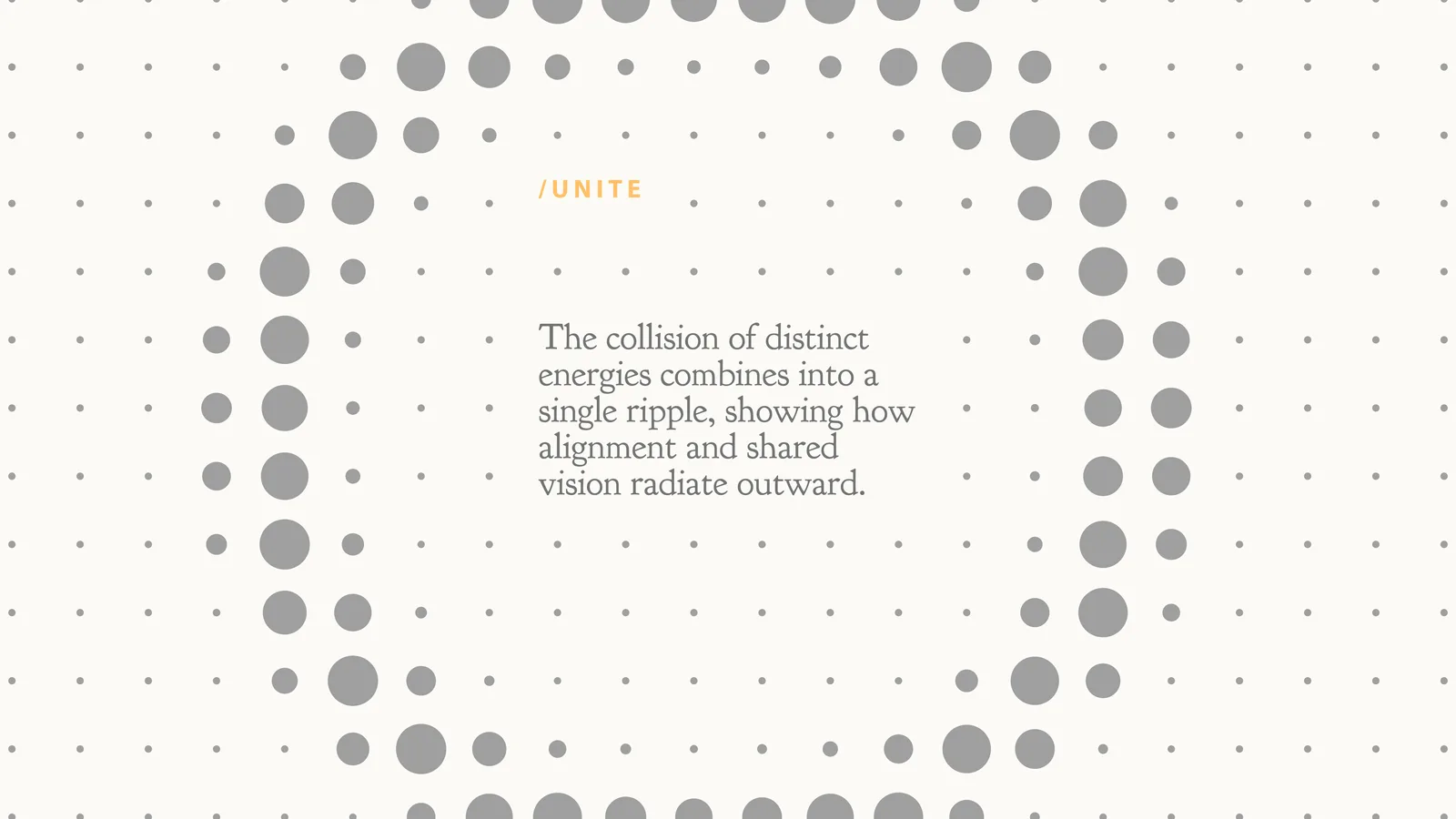
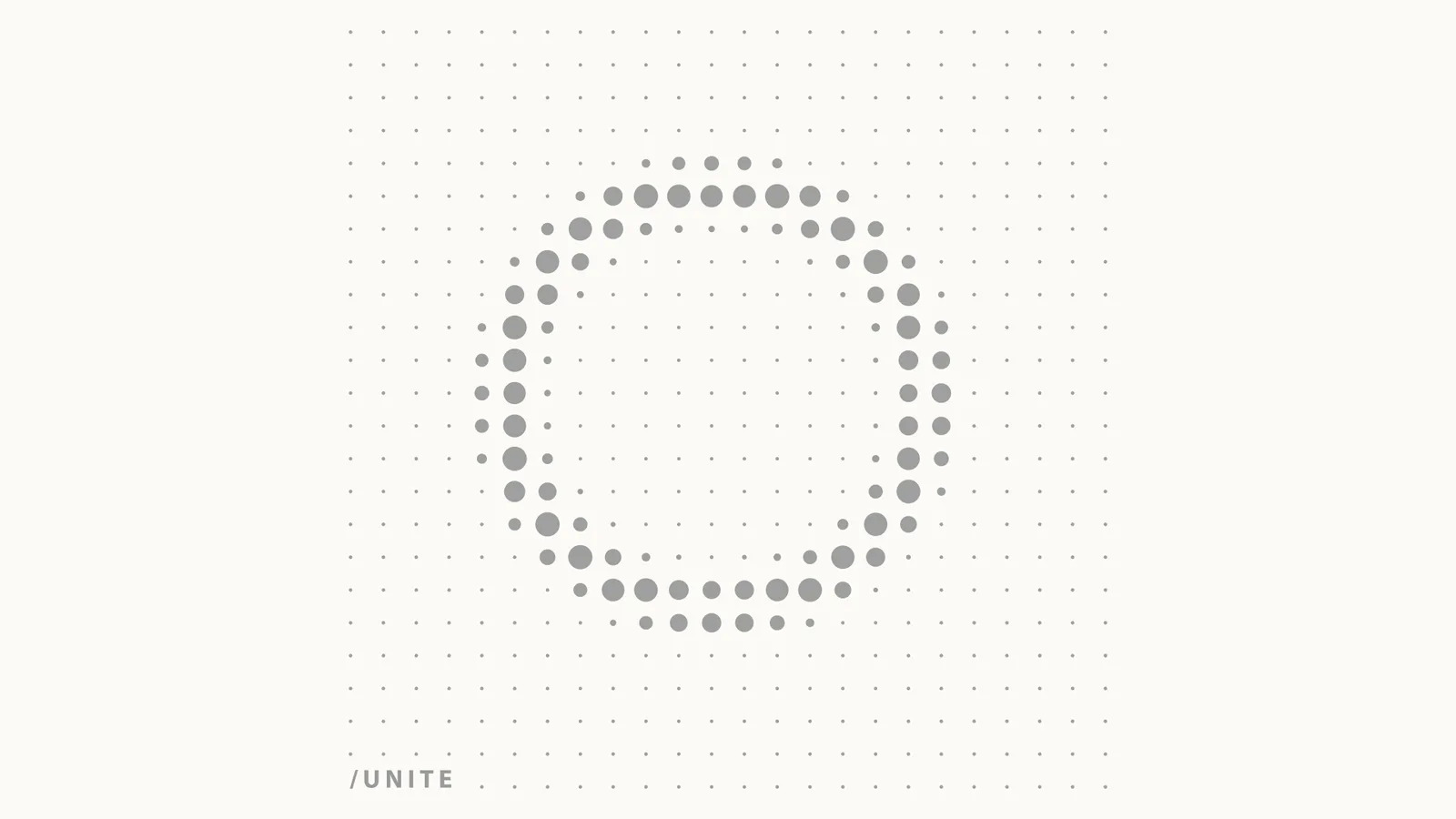
Unite
Distinct energies merge into one ripple: a shared vision.
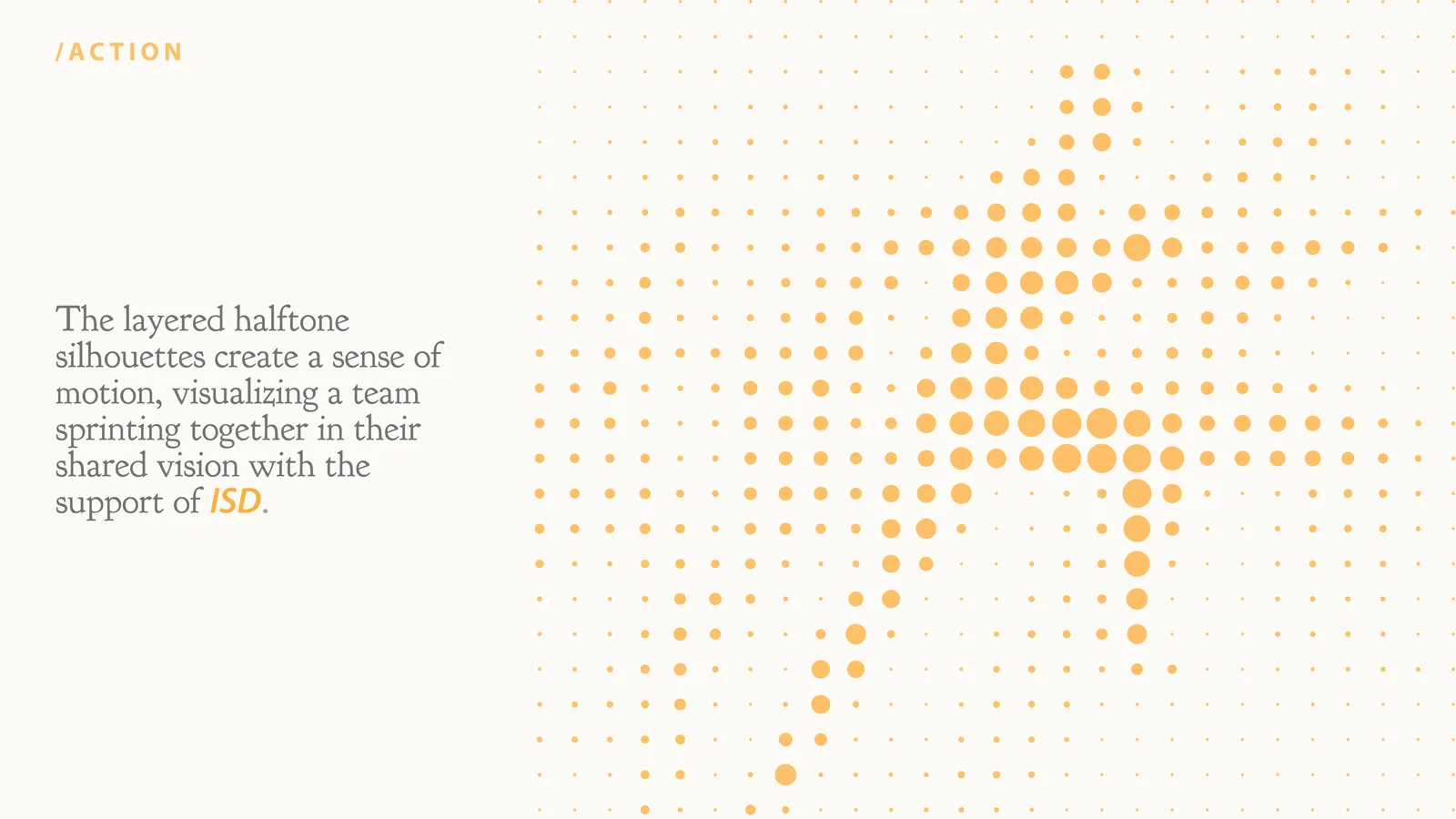
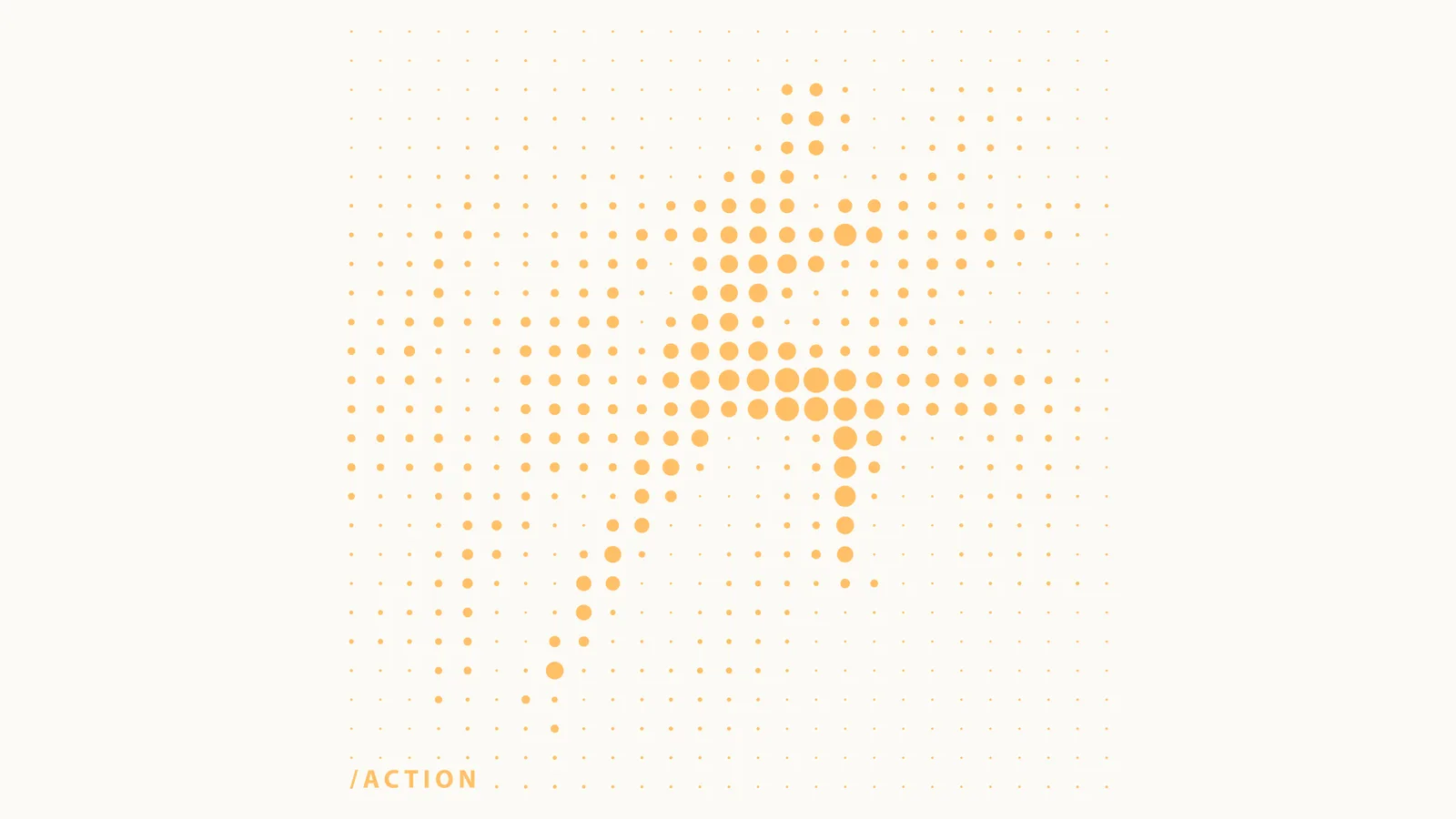
Action
Layered halftone silhouettes of a team sprinting together.
Graphics
Each chapter also stands on its own.
Taken out of the sequence, every chapter works as a single graphic, ready for a wall, a screen or print.
Stamps
The same dots work at the size of a stamp.
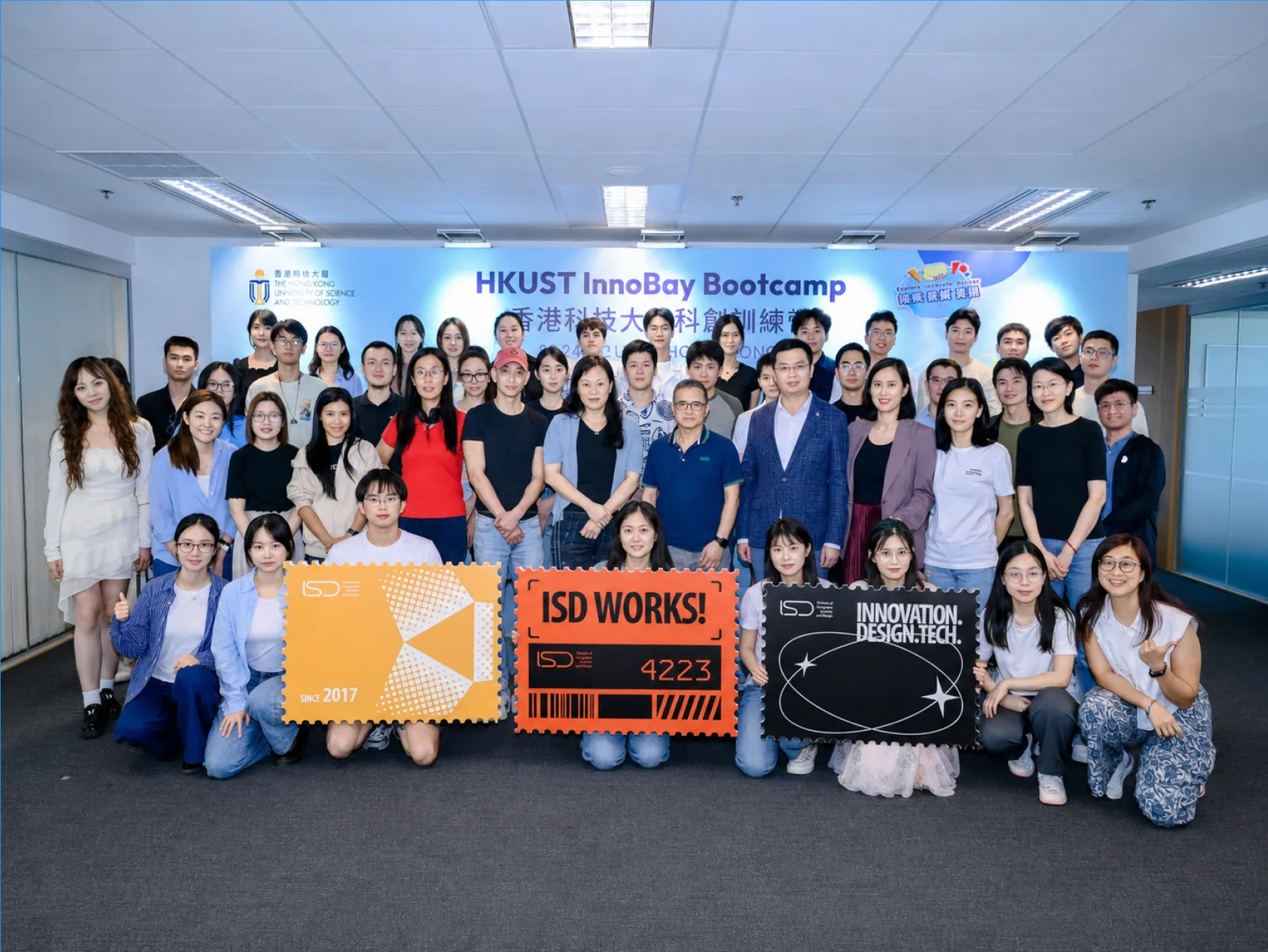
Series 1 celebrates ISD itself: founded in 2017, ISD Works, and Innovation, Design, Tech. Series 2 turns the four chapters into a numbered set of four.
In the space
From the screen to the wall.
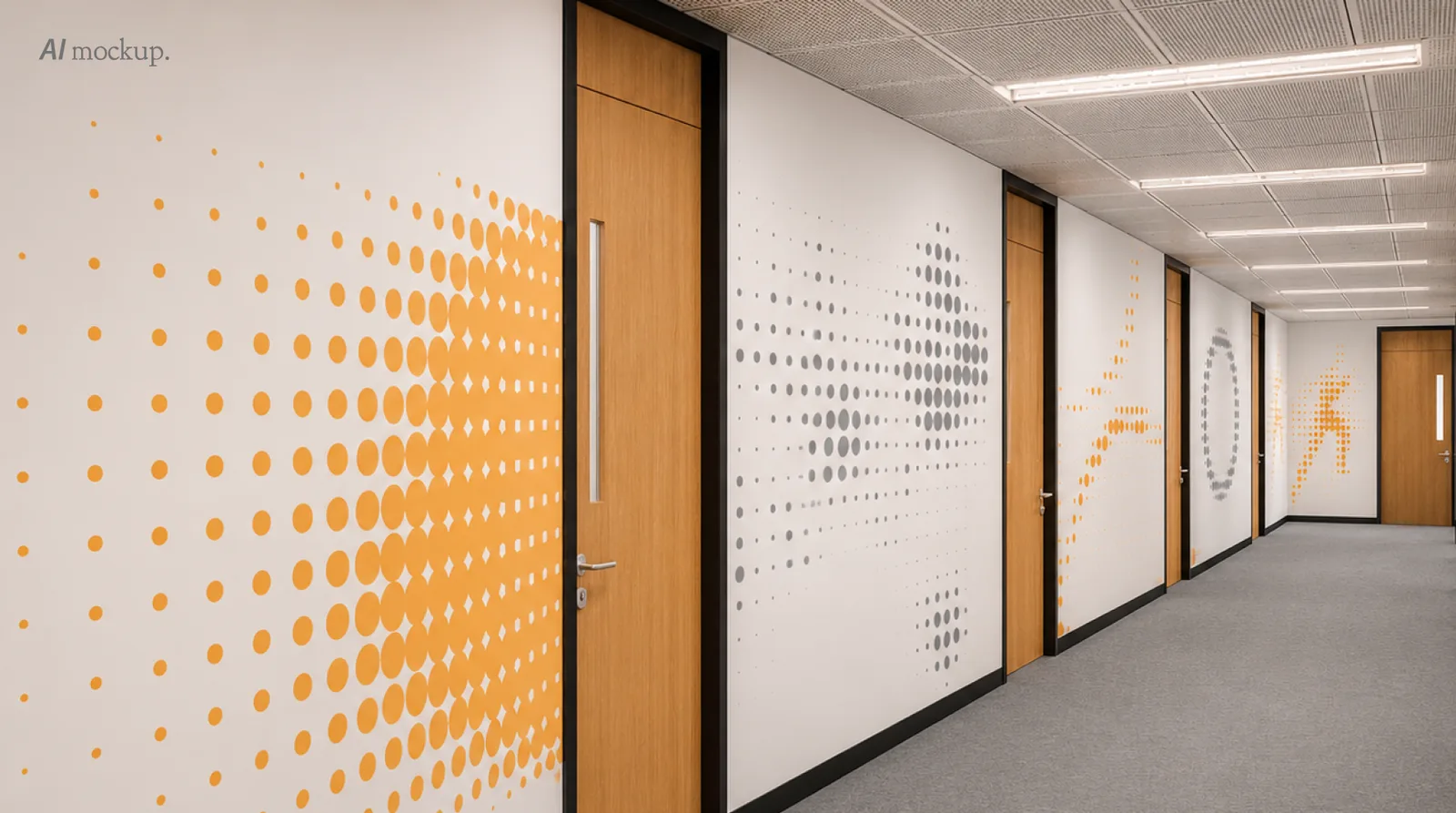
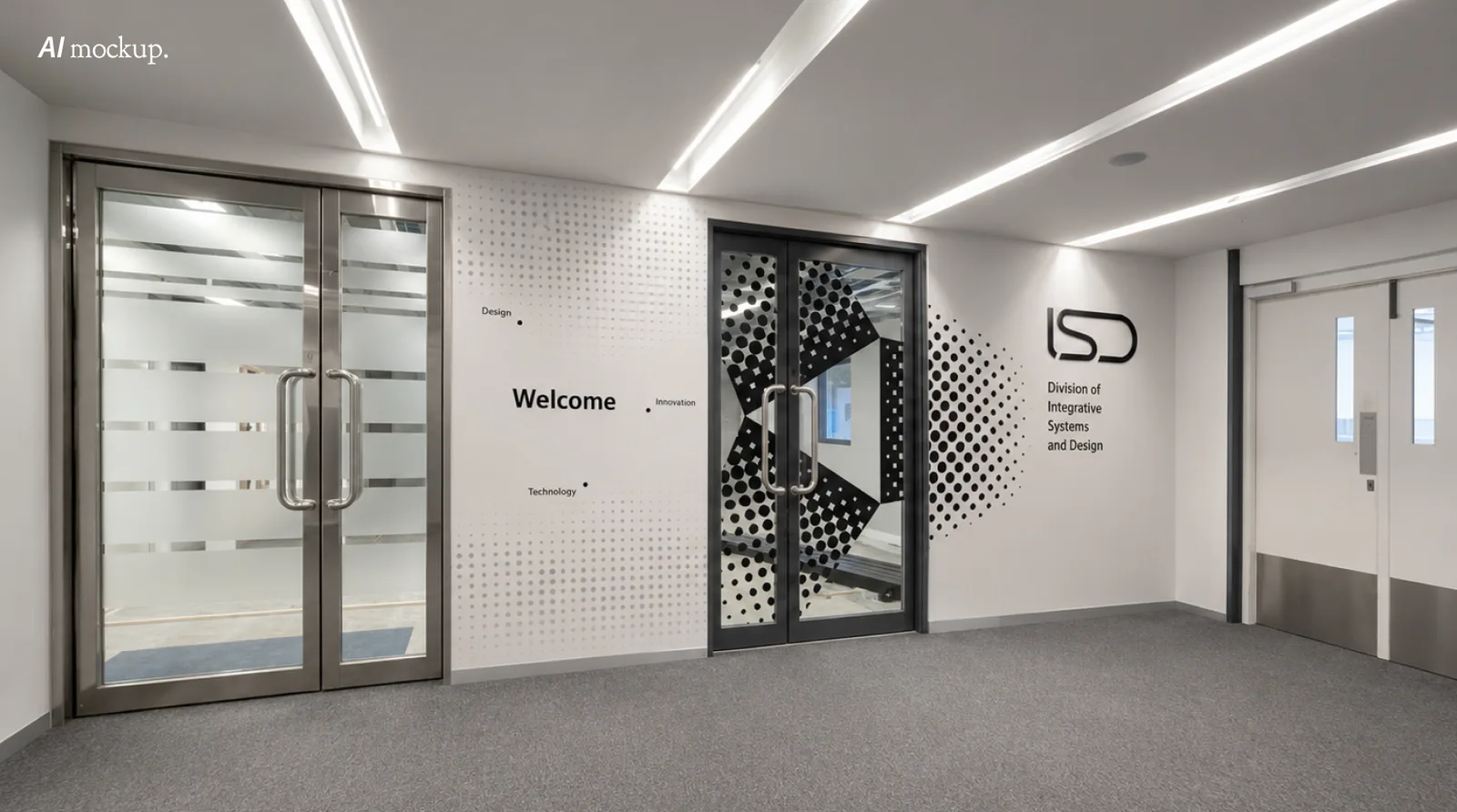
In AI mockups of the renovated office, the dots run along the corridor past every door and gather around the ISD mark at the entrance.
The Series 1 stamps also went to work as photo props at the HKUST InnoBay Bootcamp.